


Hey there, it’s Jacob at Retention.Blog 👋
I got tired of reading high-level strategy articles, so I started writing actionable advice I would want to read.
Every week I share practical learnings you can apply to your business.
AI App monetization is a new world
I wanted to understand better what some of the top apps are doing today
The Photo and Video category has some heavy hitters at the top of the charts: Instagram, Snapchat, Youtube, Canva, Google Photos
But we’re not looking at these, we’re looking at 3 very successful AI focused photo and video editor apps.
The first is HubX’s app, AI Video
It was released last year, but it seems like they really ramped up marketing in January to hit $1.6M in revenue in the last 30 days!
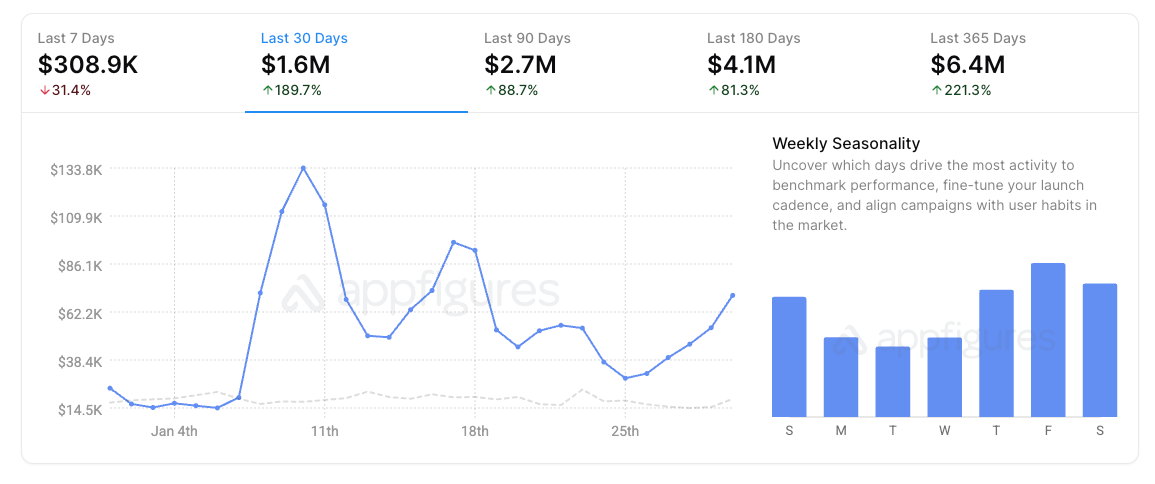
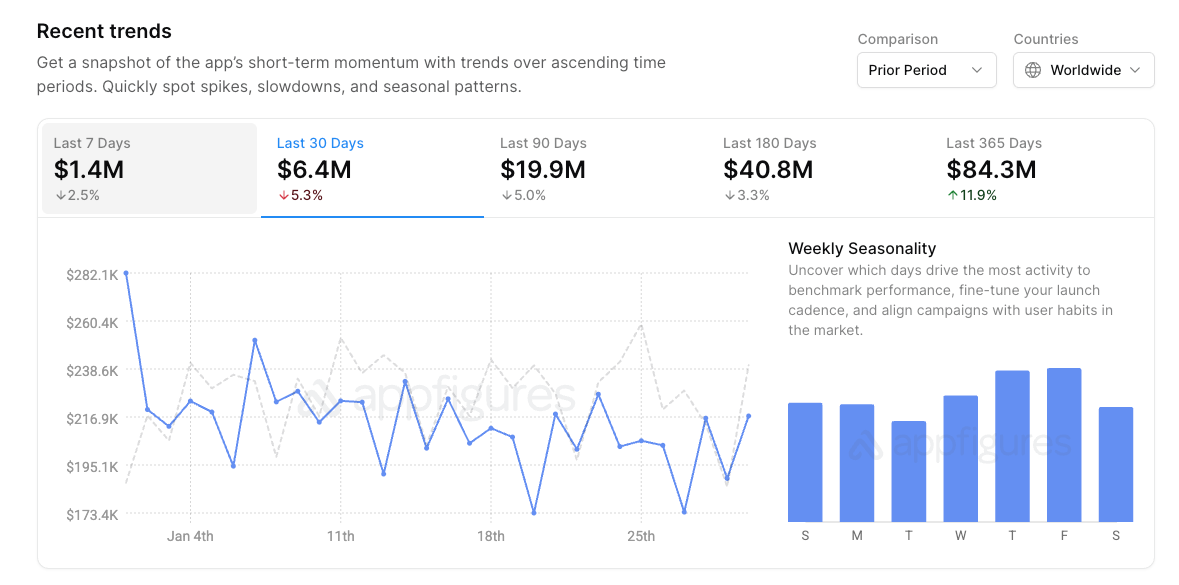
The 2nd is Bending Spoons app, Remini - AI Photo Enhancer
Wow. Around $6.5M in the last 30 days, and nearly $20M over the last 90 days.
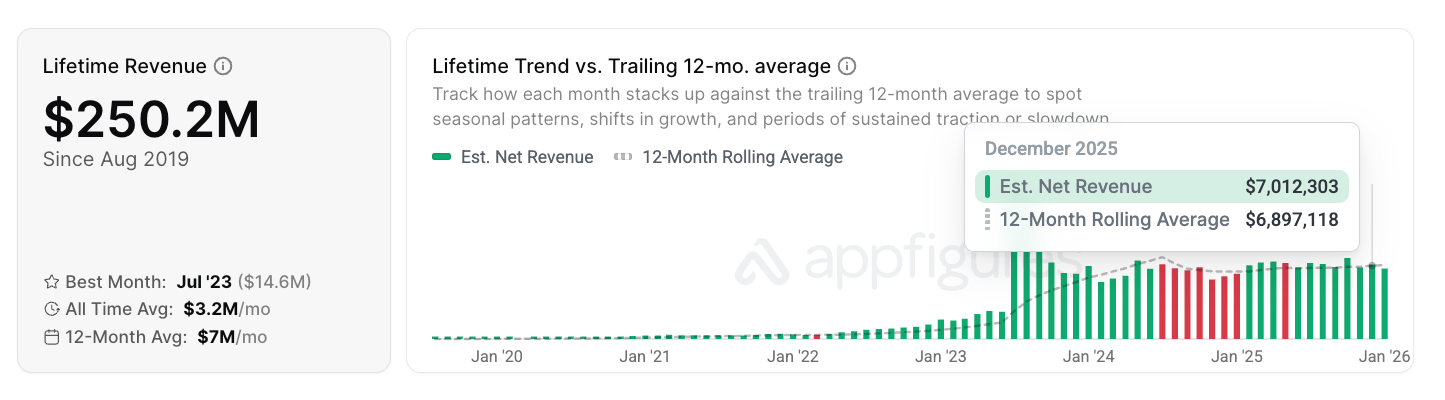
And this has been sustained over quite a long time. In Dec 2025 the previous 12-month rolling average was $6.9M per month…wild.
P.S. Remini has some of the most interesting monetization and paywall options I’ve seen in a while. If you’re going to look at anything, check them out.
Last, but not least, is Pose: AI Photo Video Generator
Pose did $2.1M in the last 30 days.
It was also released 12 months ago by the developer “Spark Dynamic” (haven’t heard of them…)
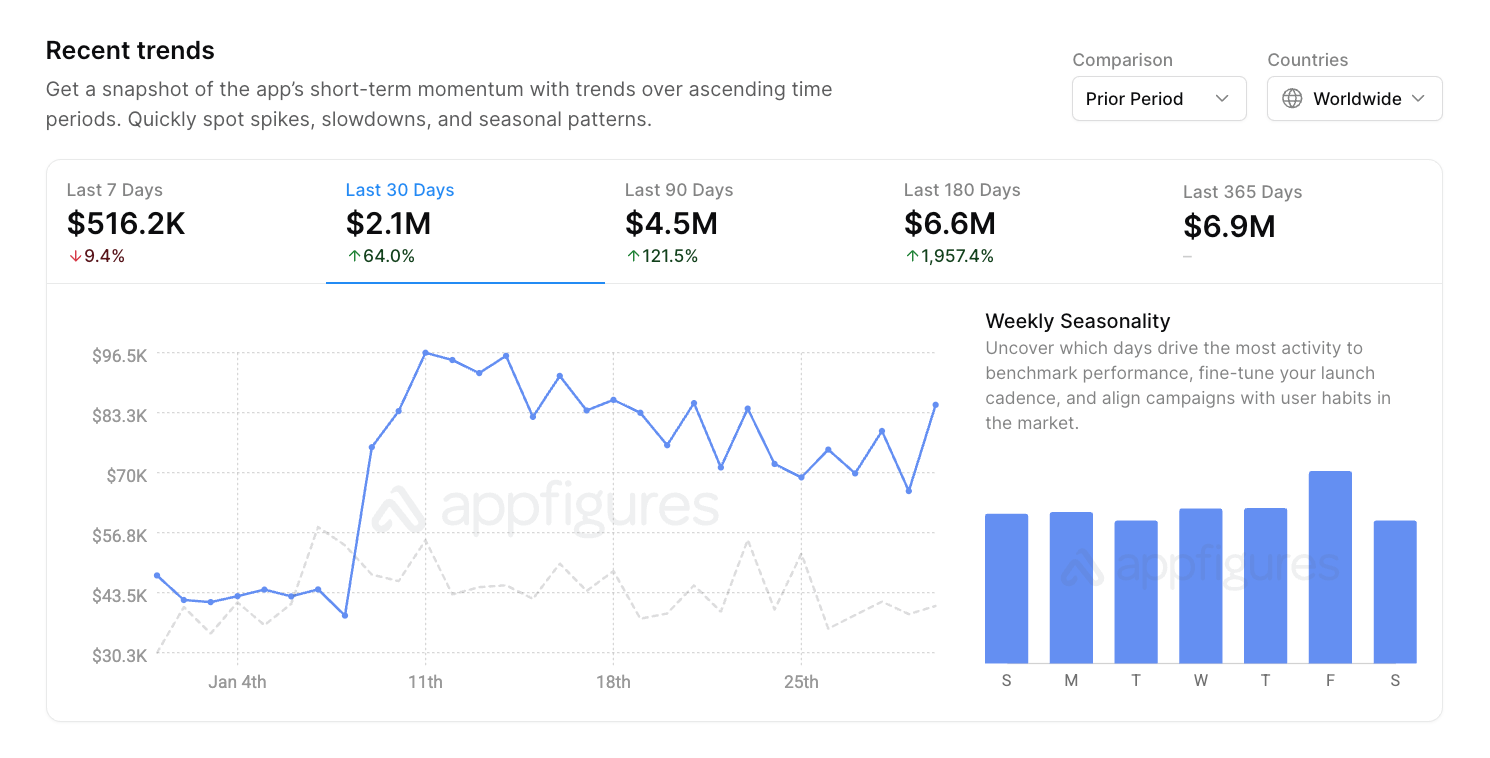
Shout out to Appfigures for all of this data.
HubX - AI Video
AI Video starts with a pretty standard onboarding carousel:
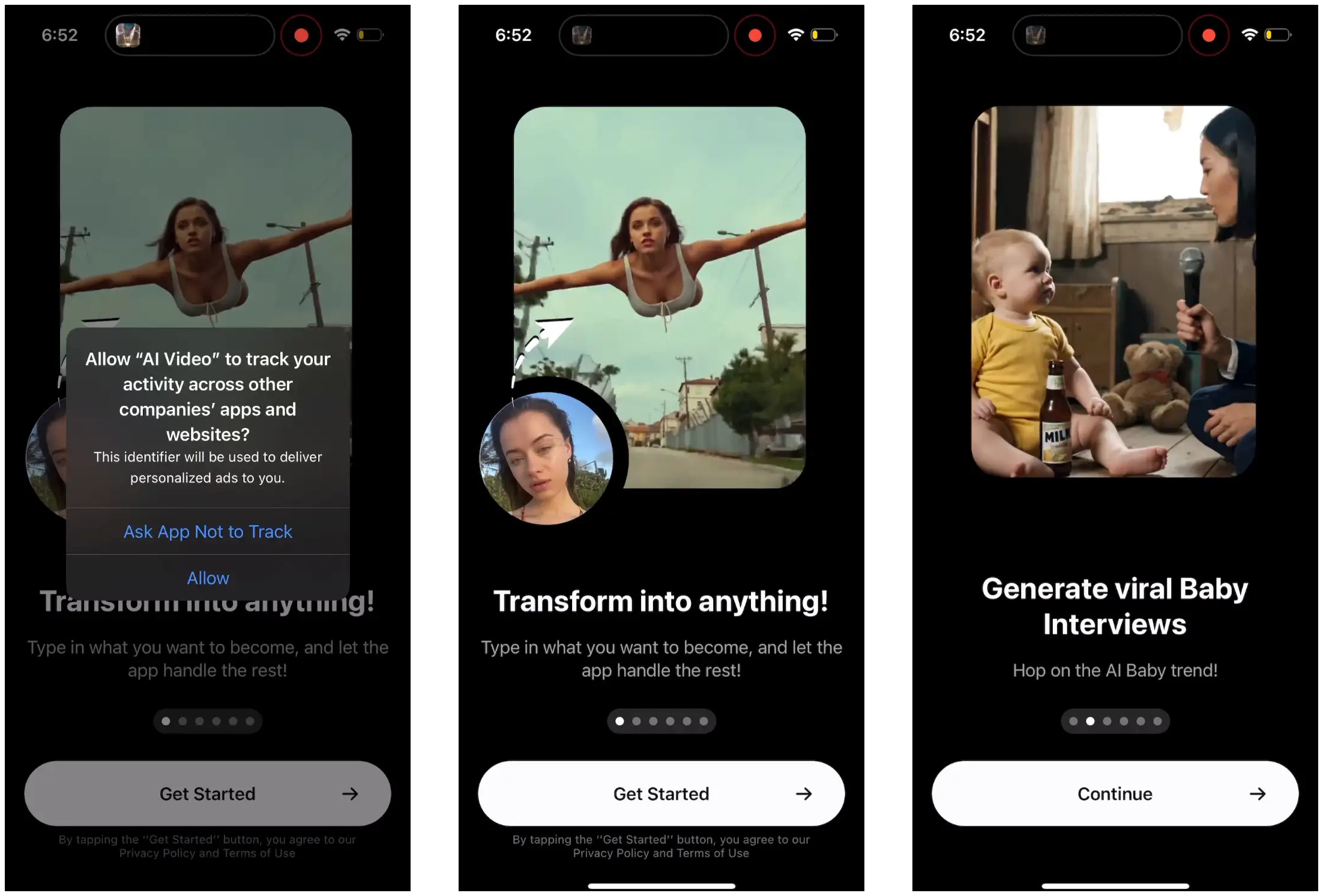
Obviously, all these carousels are video to show the value of the app. And honestly, they’re pretty engaging and entertaining.
Note: See the ATT prompt on the first screen? This is how to get the best performance I’ve heard from many reputable sources.
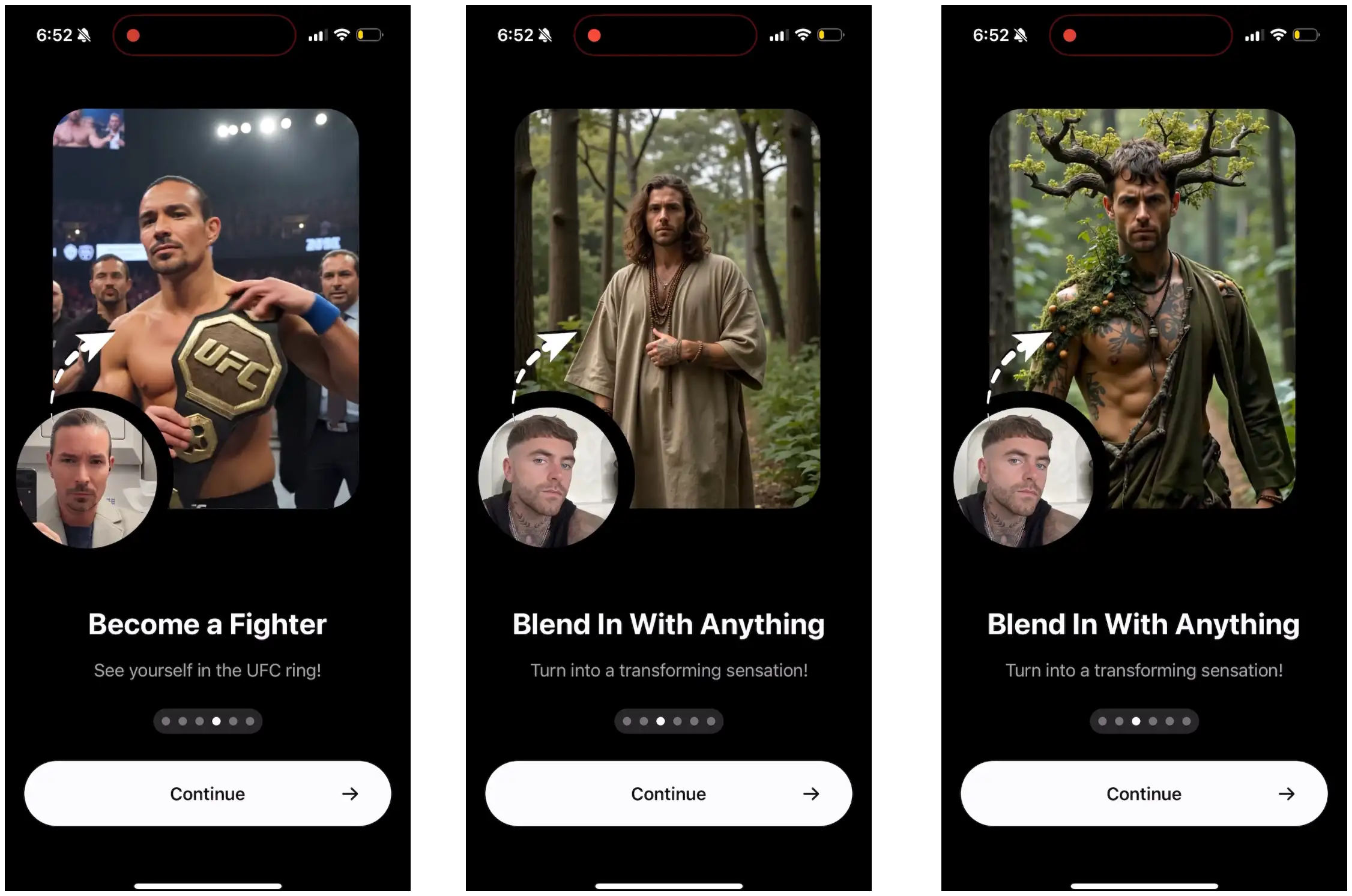
A few more carousels to swipe through.
Each one shows a picture of you that was uploaded, and then what you can turn it into.
It’s pretty immediately understood by the user what you can do.
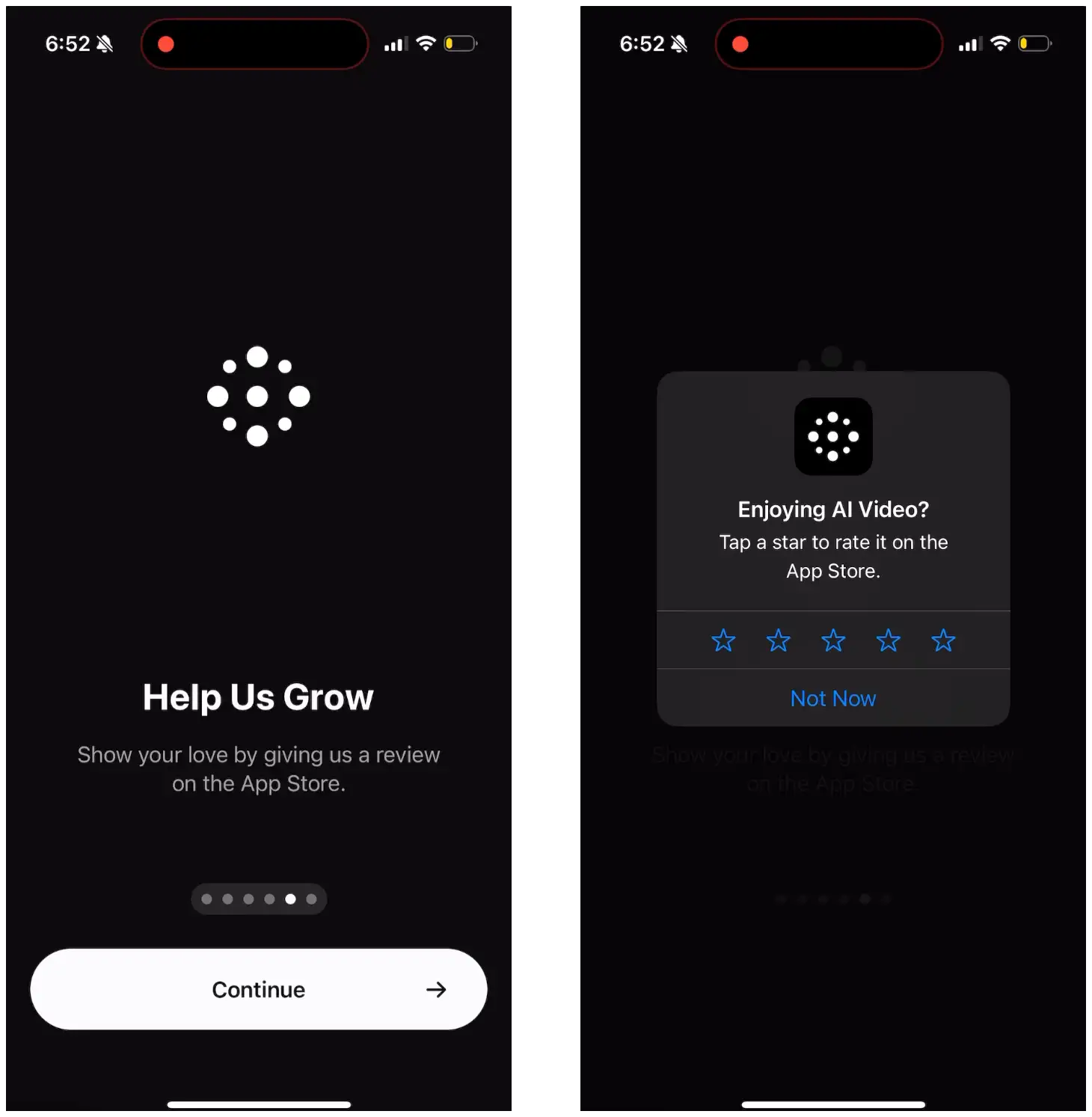
This is great.
I give this advice to most people. Show the review prompt before the paywall!
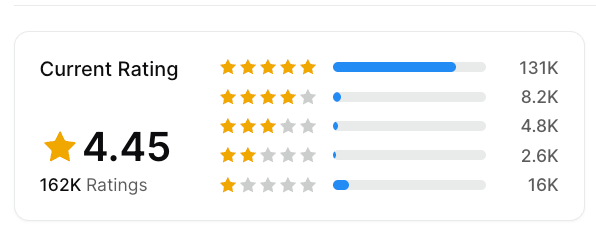
162,000 ratings for an app that is 1 year old. Yes, slightly lower quality rating, but I believe the volume/frequency of rating will outweigh this in terms of ASO.
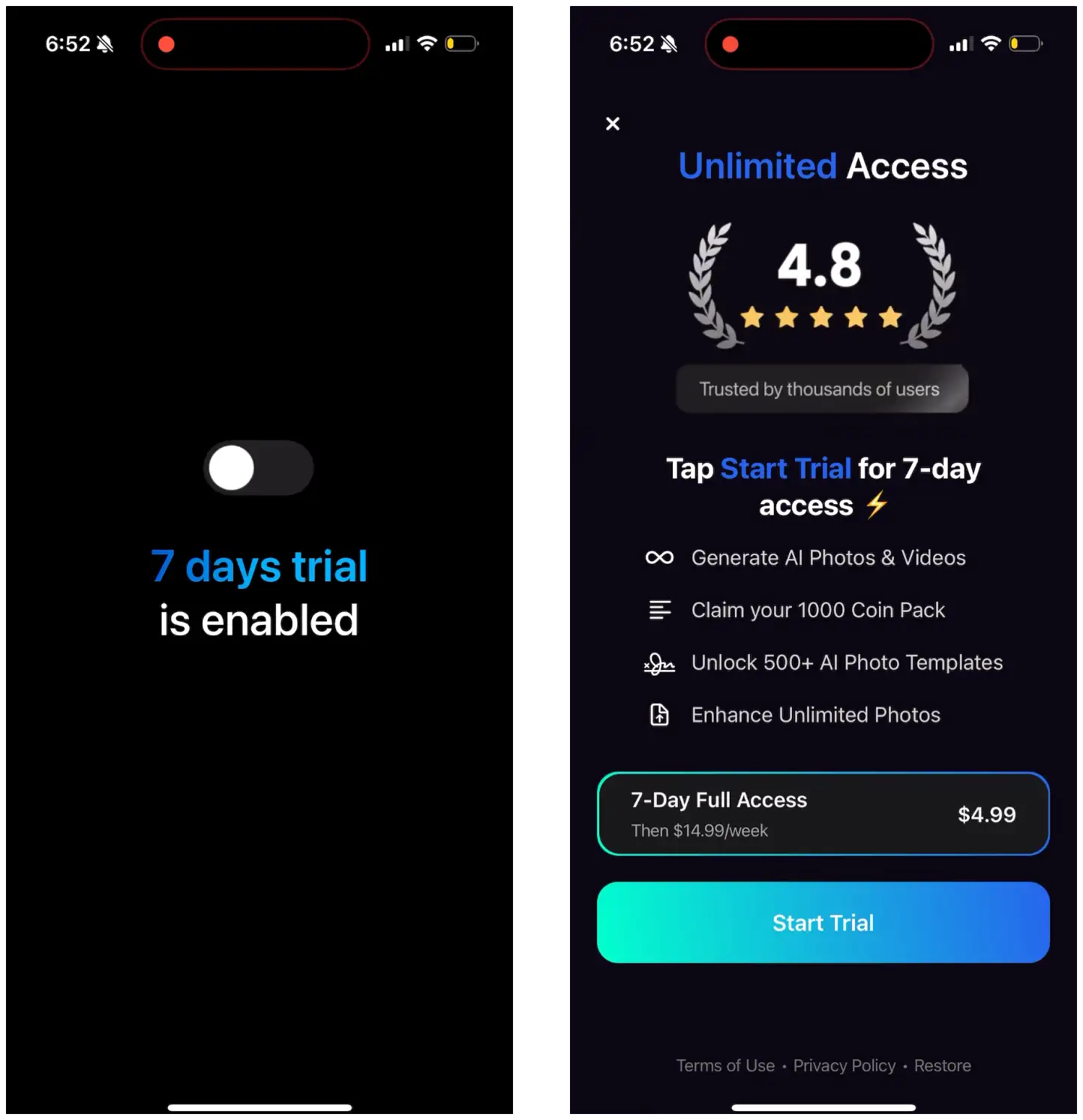
Before they show the paywall, they show a simple graphic with the trial toggle to clue you in that the trial is enabled.
Interestingly, there is actually no toggle on the paywall.
And it’s not a free trial! You pay $4.99 for a week, then it upgrades at $14.99 for subsequent weeks.
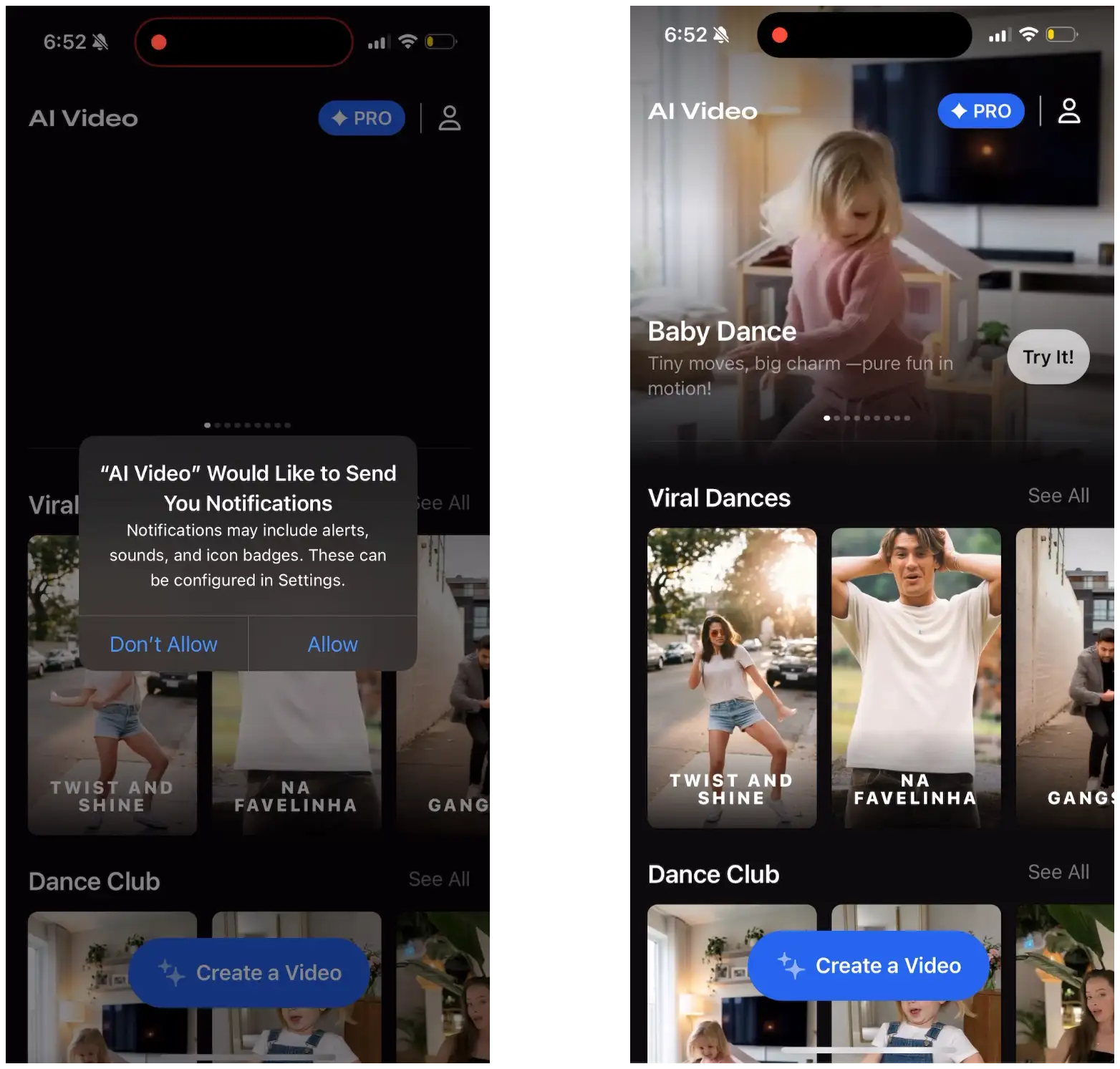
After that, they prompt for push notifications and then we’re into the core app experience of uploading a video and all the different options. I’m not going to go through this process.
🚨 Price Power Podcast Alert!
Marcus Burke is a Meta ads whisperer, AND one of the most generous people in sharing his knowledge.
This week on the Price Power Podcast we go through real, actionable, and tactical tips for how you can improve your Meta performance:
👉 Why blended CPA is irrelevant
👉 The "creative equals targeting" framework
👉 Account architecture: Why Meta's consolidation advice can hurt
👉 Signal engineering hierarchy
And much more…
Watch the full episode here:
Youtube ➡️
Spotify ➡️
Apple Podcasts ➡️
Next up, Bending Spoons’ Remini AI Photo Enhancer
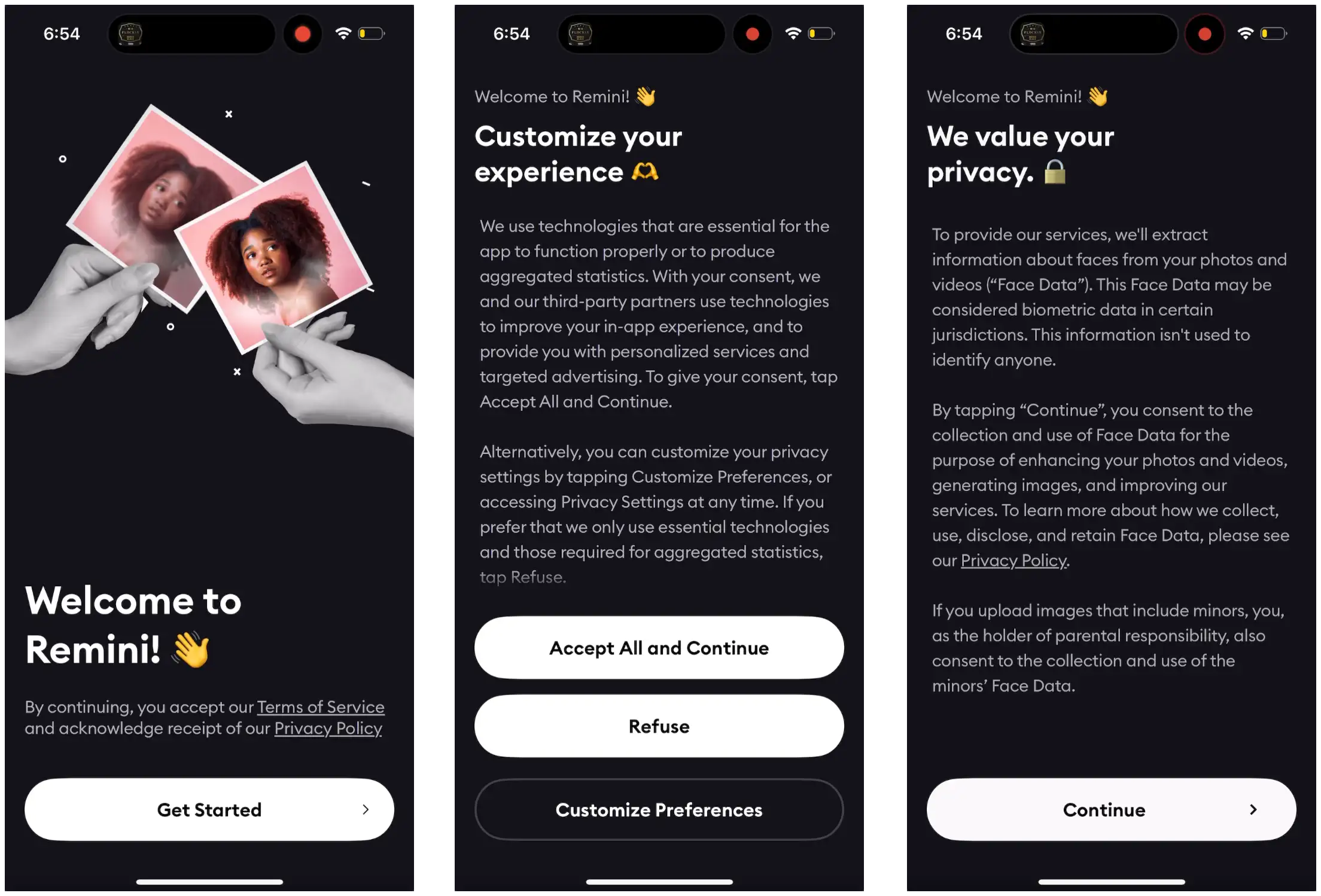
I didn’t expect this from Remini, two heavy screens of legal disclaimers.
Maybe because of legislation around facial recognition they have to do this? And it’s better to get out of the way up front?
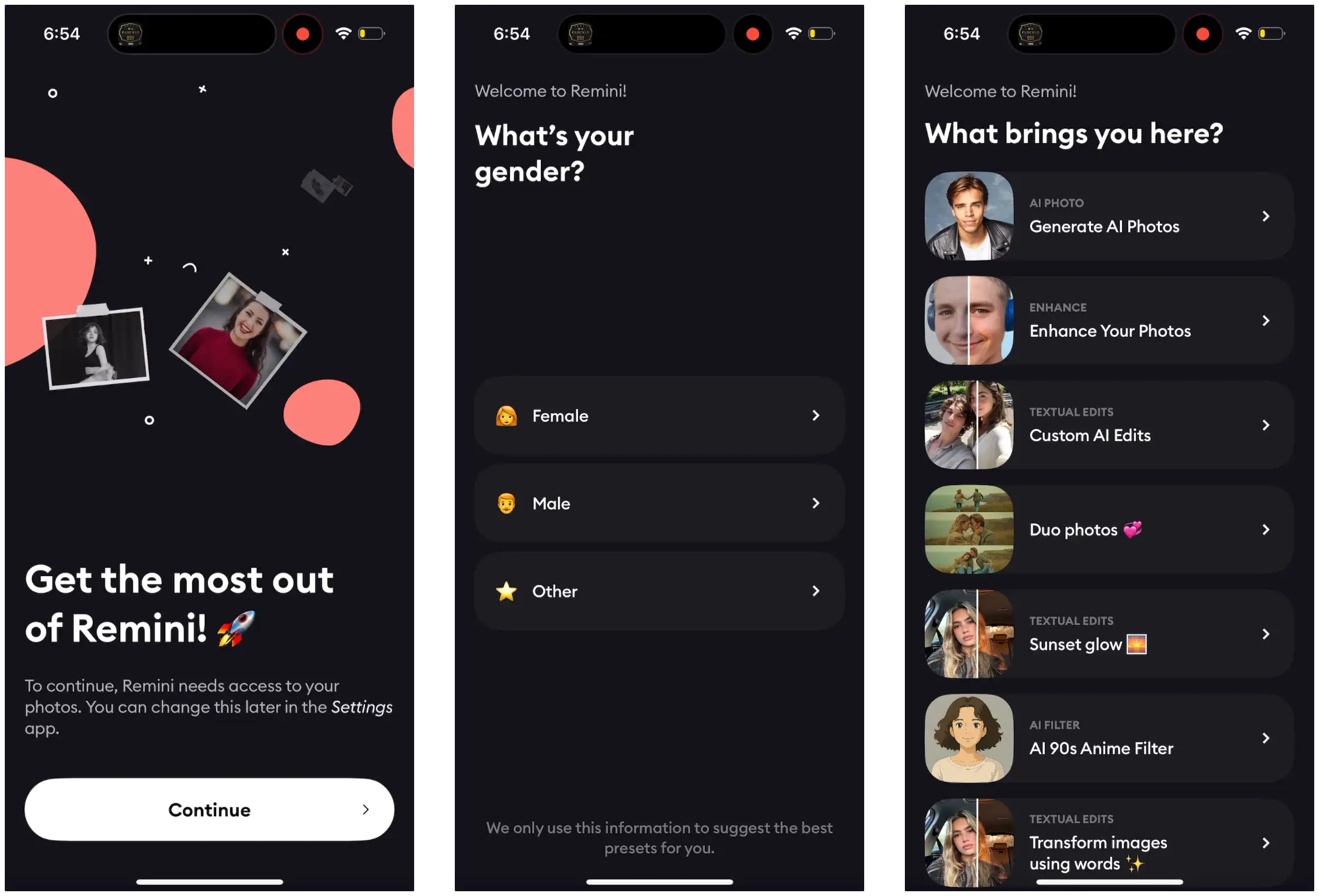
Next, we have some simple personalization and two questions:
Gender?
What brings you here?
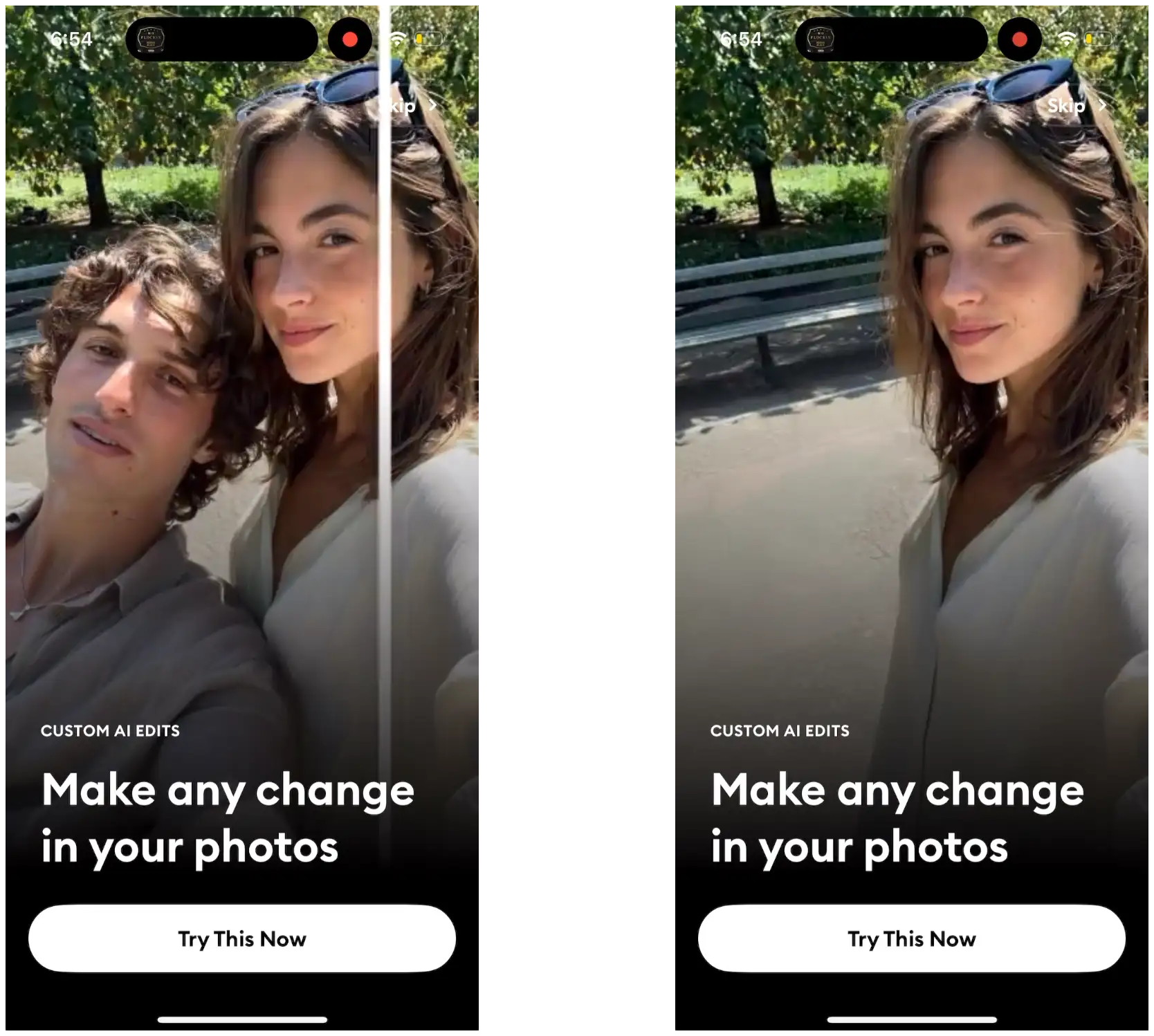
Bye boy. ✌️
I selected Custom AI edits and look at that! That’s what they show me :)
This is super simple, but extremely effective personalization.
“What do you want to use this app for?”
“Cool, here is exactly what you wanted and a visual example of how it works”
This is an example that nearly any type of app can replicate.
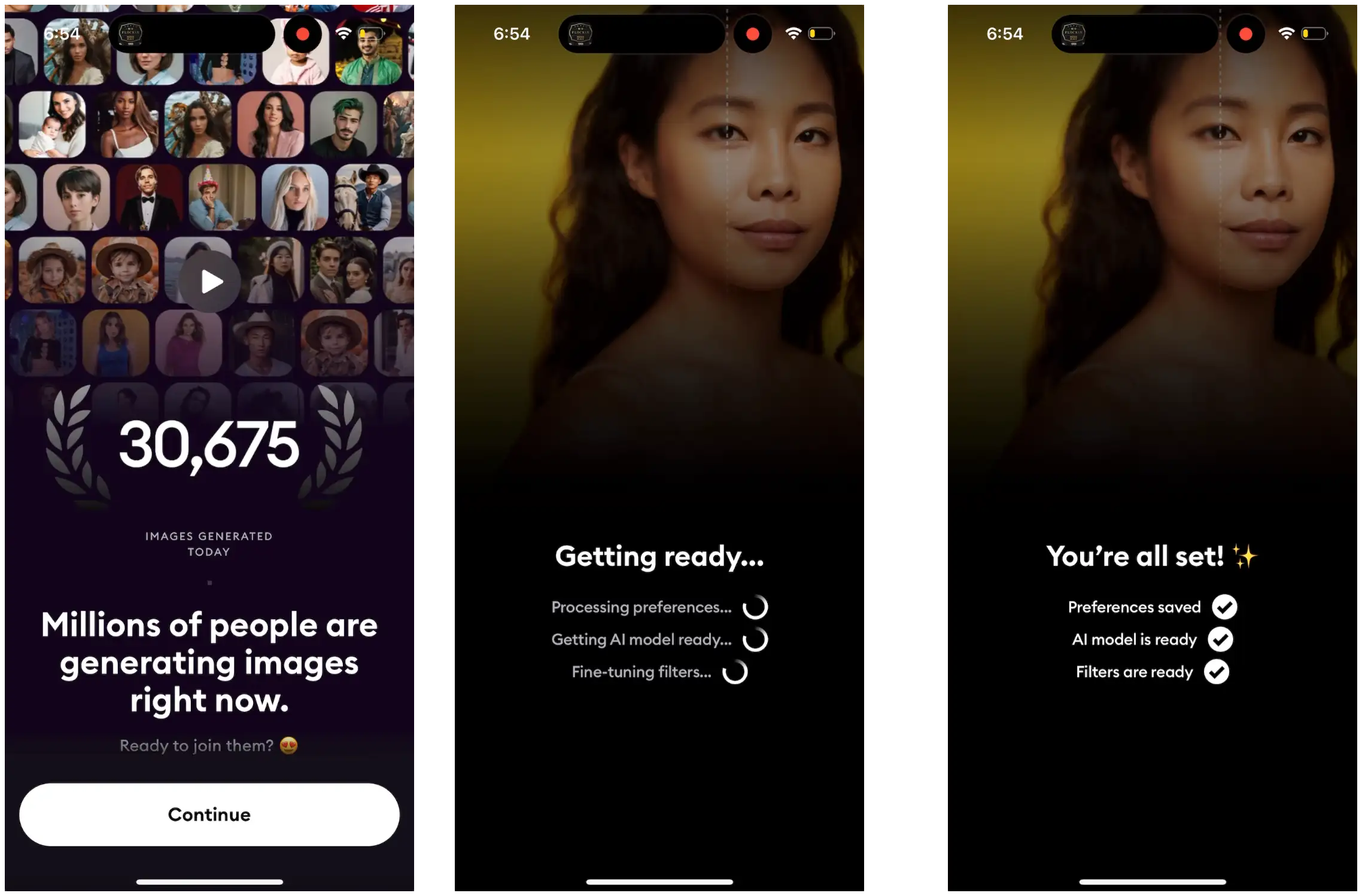
Social proof
Millions of people are doing it, why shouldn’t you??
Labor illusion
Loading screen to show all the work the app is doing to create a personalized experience for you.
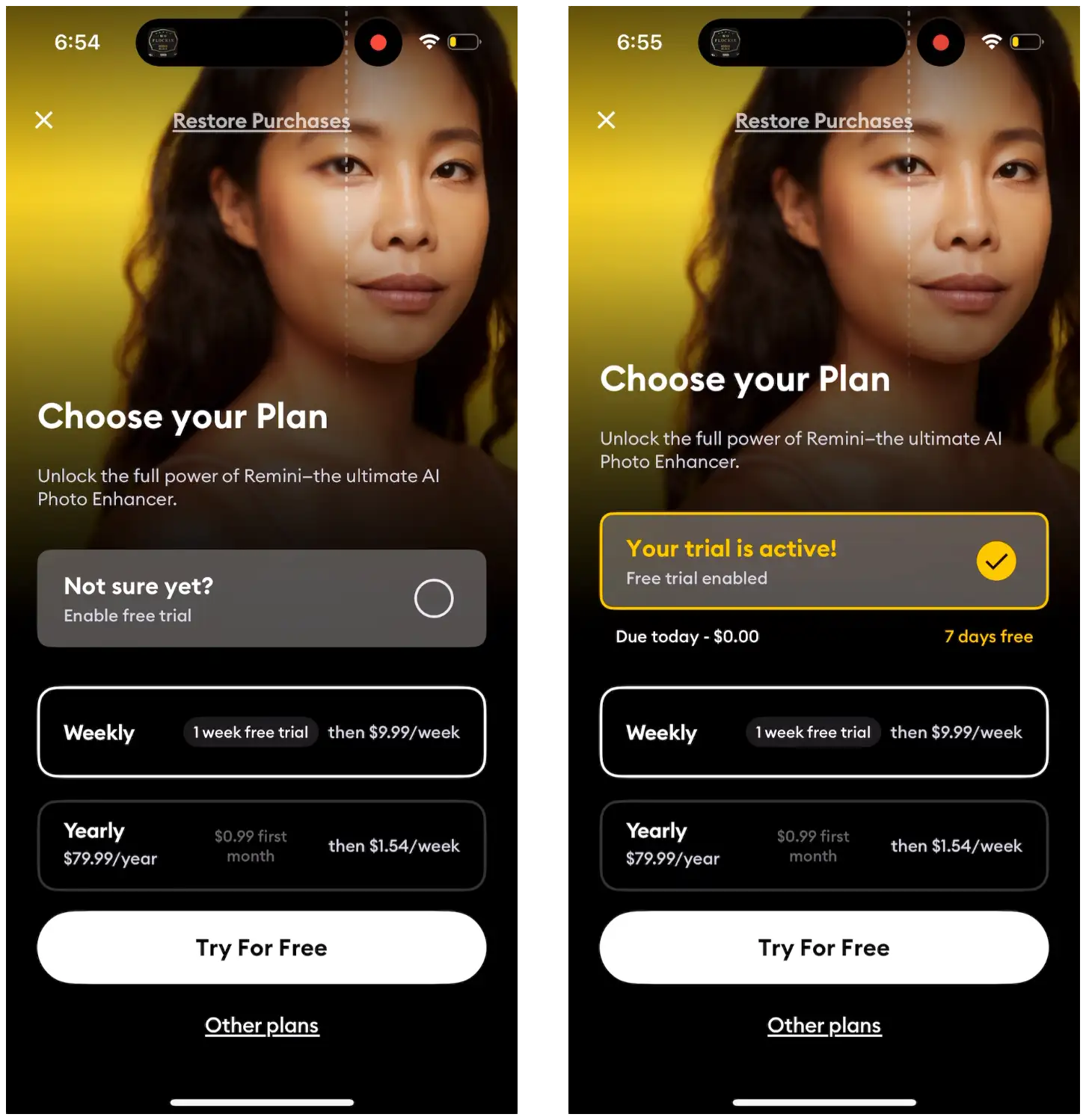
Okay, let’s break down what this paywall is showing:
A weekly plan for $9.99, with 1 week free trial
A yearly plan for $79.99, but you have $0.99 for the first month.
And then they have the “Enable free trial” button at the top, but I don’t think it actually changes anything.
It just selects the weekly plan option with the trial.
I’d bet most people end up picking the weekly option.
But if you select the Yearly, you get a generous month for only $0.99.
Does this help reduce billing issues?
Does this improve conversion rates because it’s a month out so you’re more likely to forget?
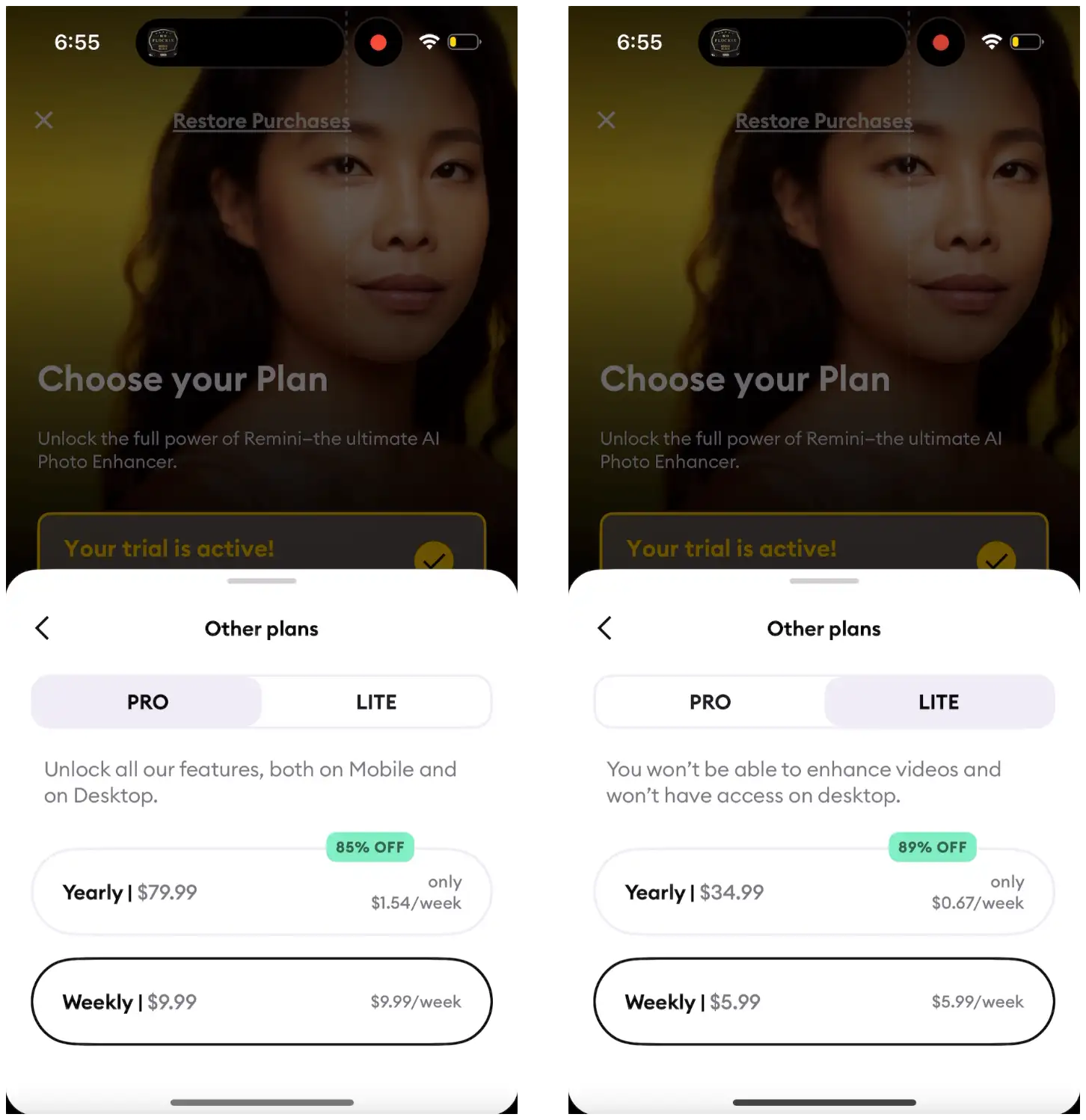
Then we’ve got a few other options if we tap the “Other plans” button.
If we select “Lite”, we get the same 1 week free trial, and $0.99 offer, just at a lower price and with limited features.
Having cheaper options behind a “View all plans” can be helpful for motivated price sensitive users that are willing to explore for a deal.
These were all interesting, but the paywalls in the app are even better.
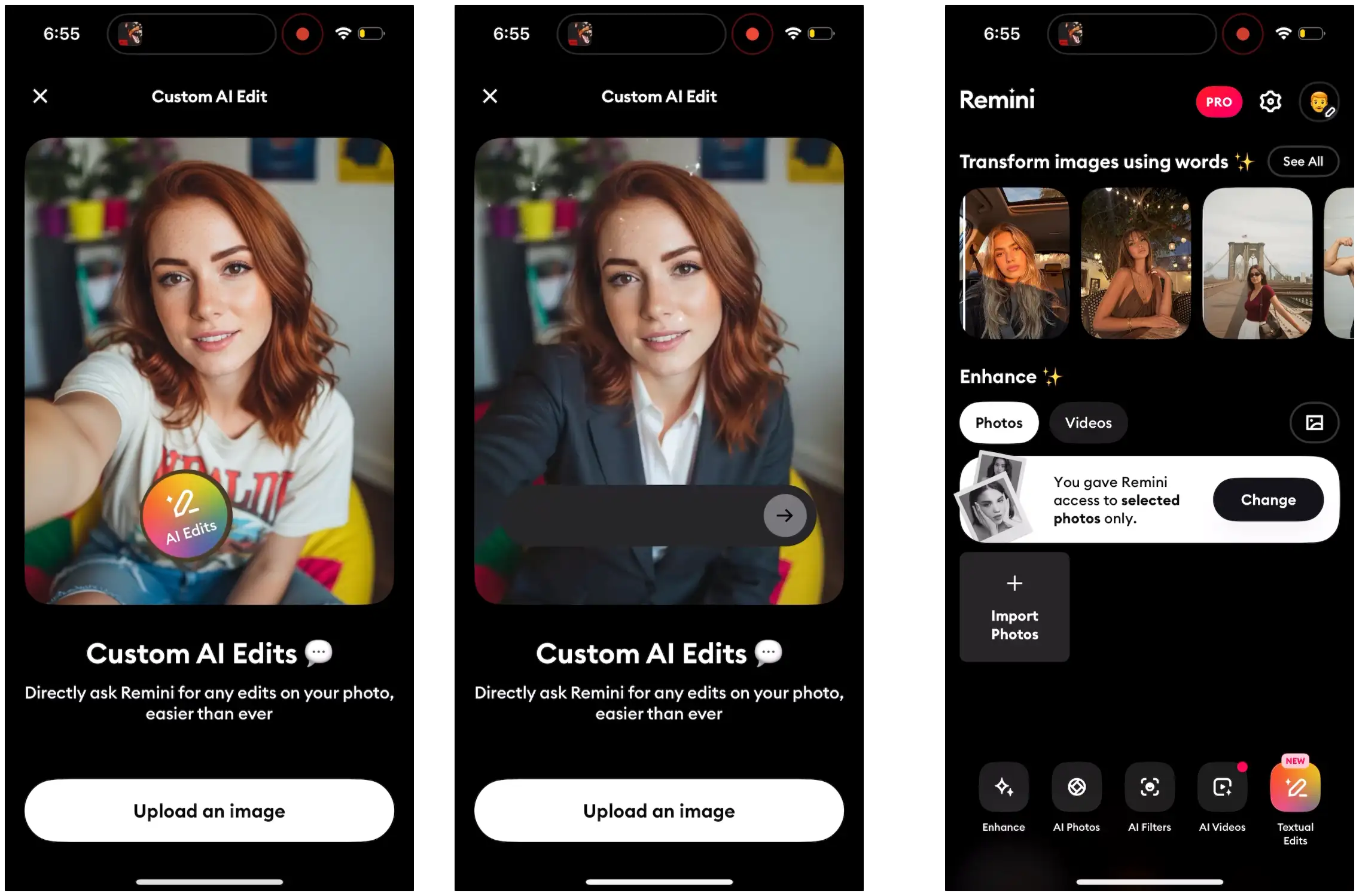
First, we have additional reinforcement of the value you get personalized based on your selection during onboarding.
If we tap the PRO button on the homepage:
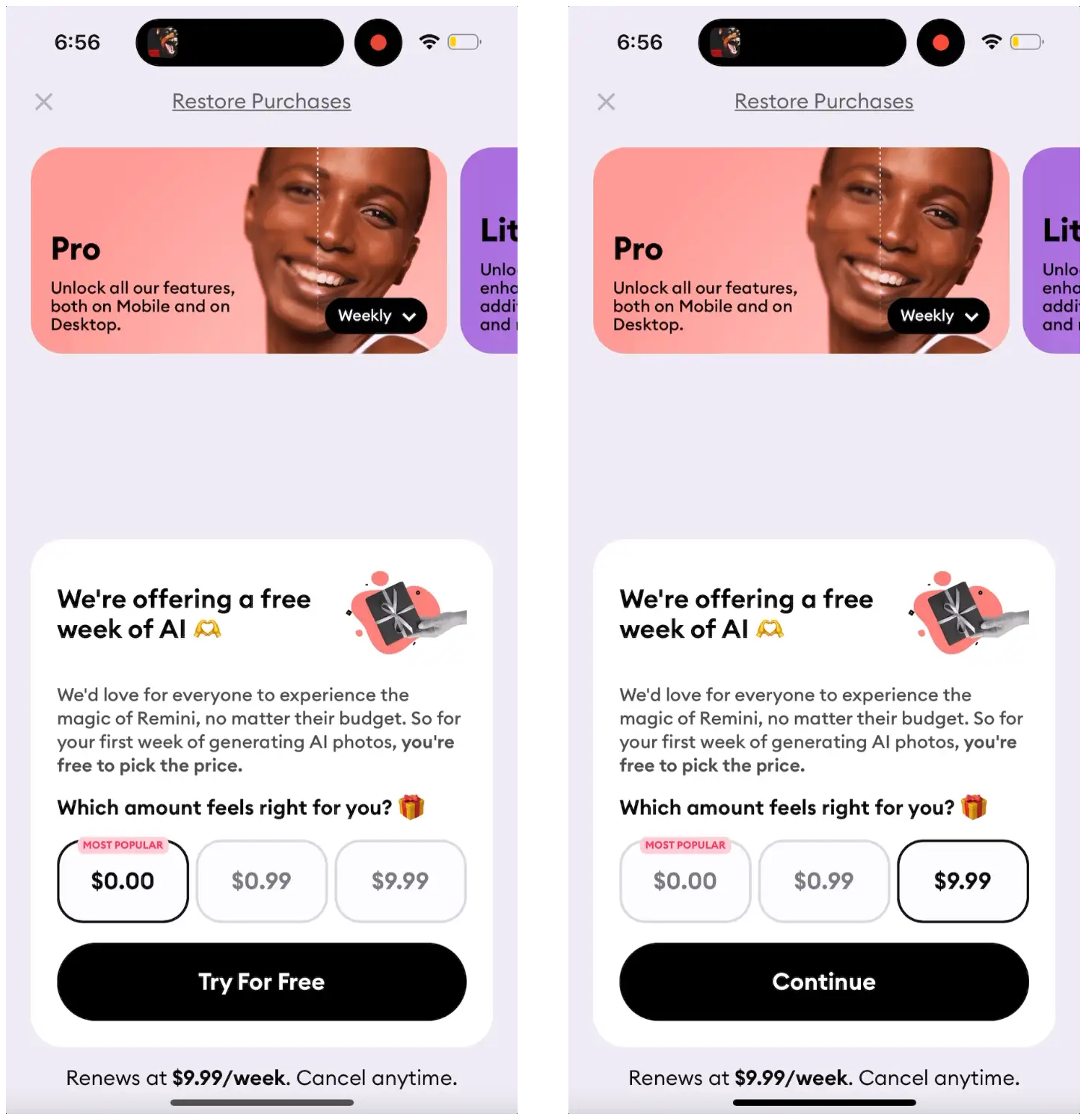
If you look closely, it’s actually pretty similar to the offer from onboarding.
But the positioning is excellent: “We’re offering a free week of AI”
And then they let you design your trial or plan.
It defaults to weekly, assuming if you didn’t convert up front, you’re not quite ready to commit to a longer plan.
And now I can either start paying immediately, start a free trial, or pay $0.99 for the first week.
But instead of being forced to pay, it feels like Remini is offering something special you shouldn’t miss out on.
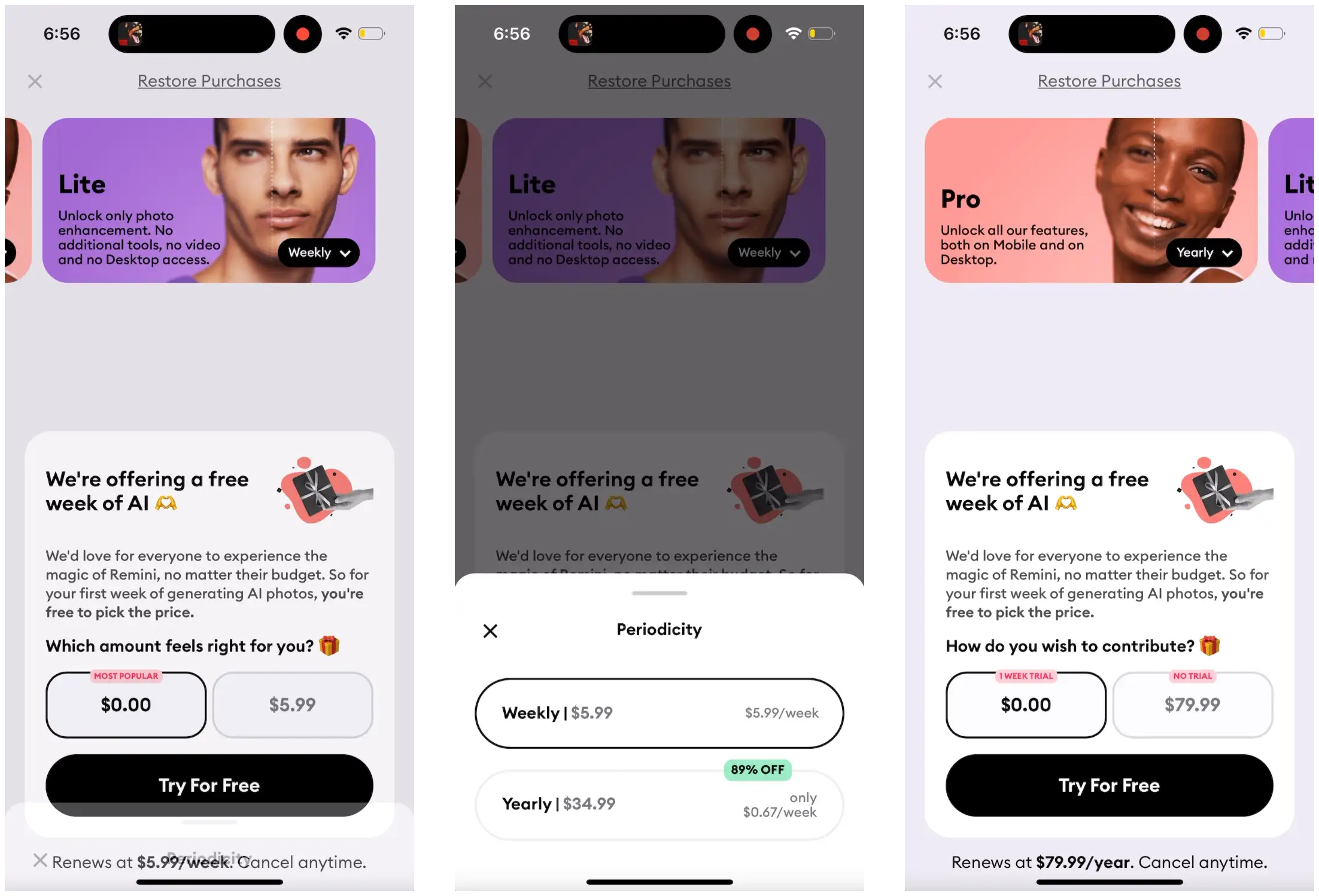
Then, we can change from Pro to Lite, and also change between weekly and yearly.
On the onboarding paywall, they didn’t offer a free trial for weekly, but here they do!
And there is no $0.99 trial for the Lite plan.
With the Pro and Lite plans it gets a bit complicated, but I love the core of this “Design your plan” paywall.
Last, we’ll look at Pose: AI Photo Video Generator
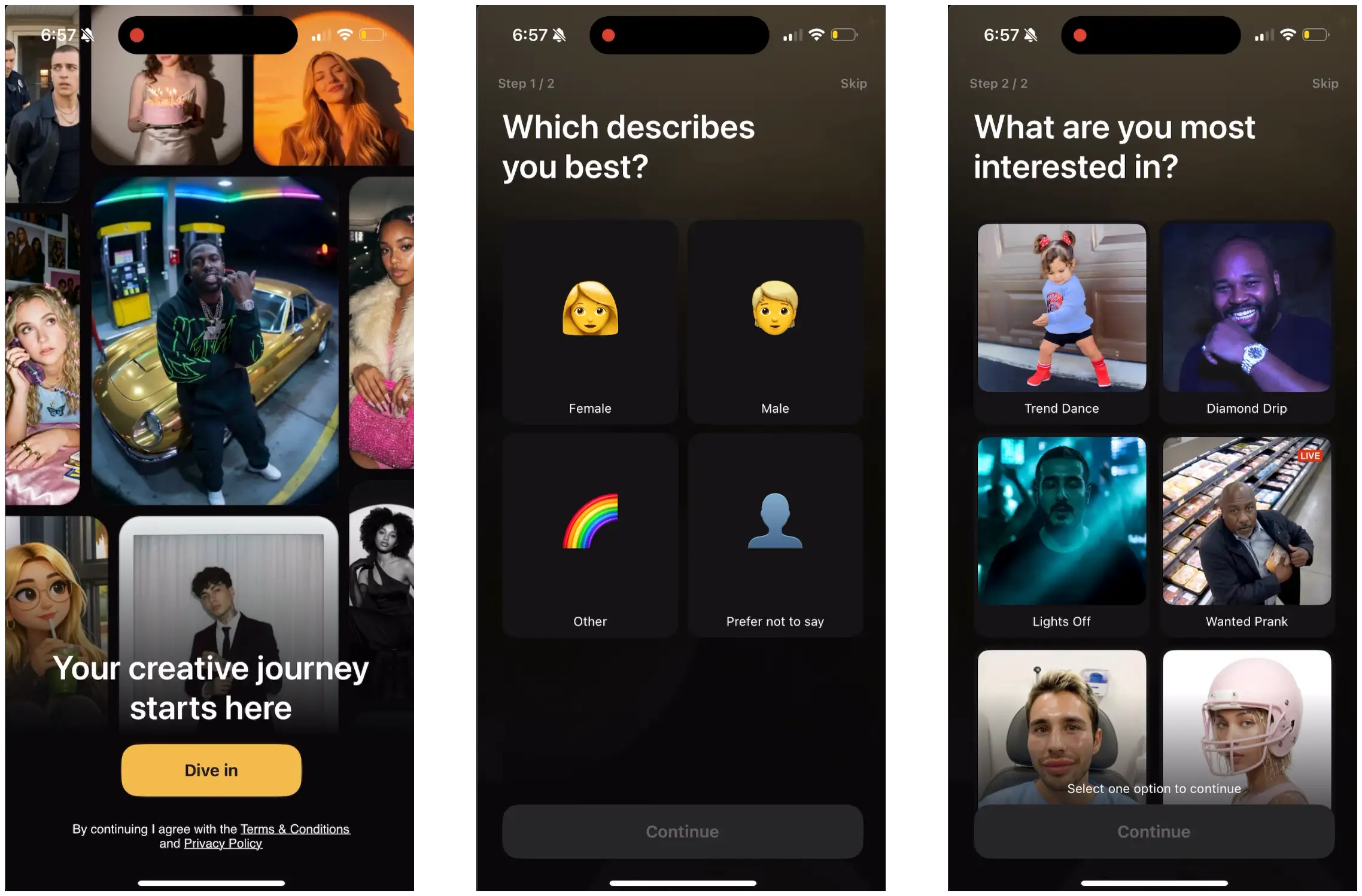
Kind of similar to Remini!
A gender question, and then asks what you’re interested in.
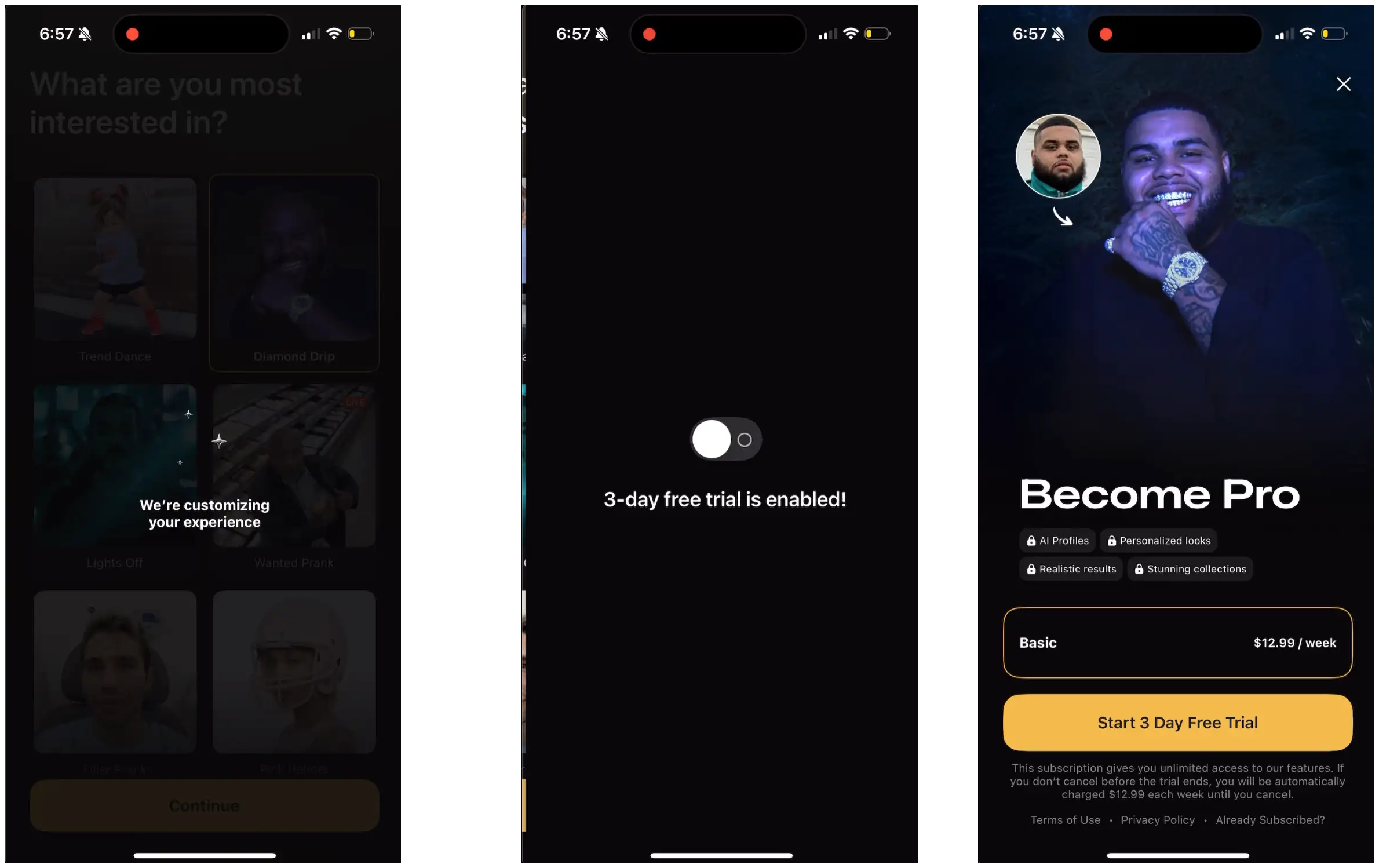
Unlike Remini, they don’t immediately show the example of what you selected.
They do have a customizing/loading screen to use the labor illusion.
And they also use this trial toggle animation like AI Video!
(hint: if two apps making millions of dollars are doing it, you should probably try it too…)
Then, the paywall!
Sorry if the image is too small for everyone, but we have one plan for $12.99/week with a free day trial.
Pretty straightforward.
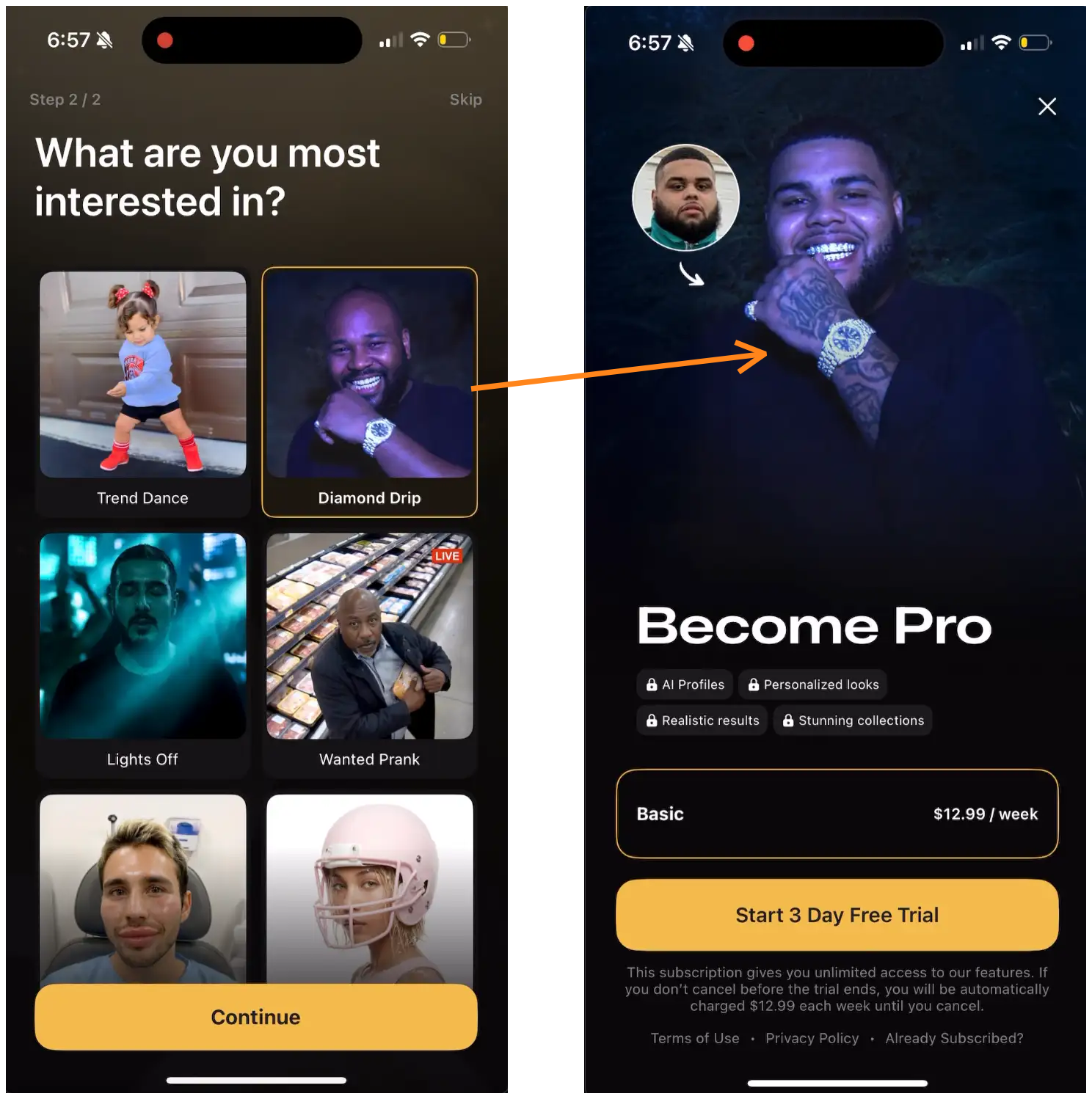
But if you pay attention, they do have some personalization based on what you select!
I selected the “Diamond Drop” option (you know me…can’t stop the drip)
And they show the image of that option on the paywall!
Simple personalization wins.
I’ll say it again for those in the back: Ask your user what they want, and then show them that!
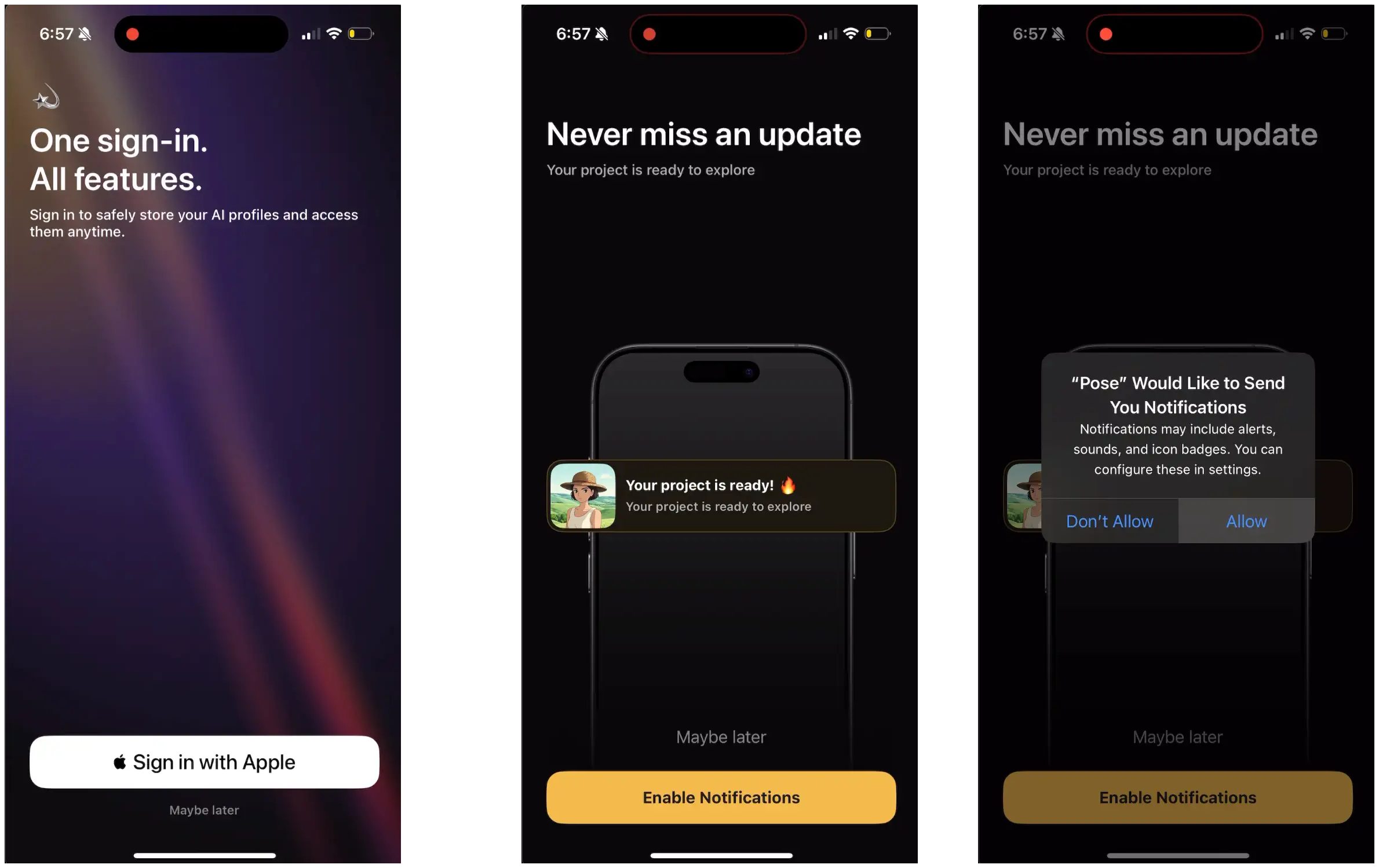
After the paywall we have account creation and notification prompt.
Good setup so it doesn’t get in the way of the people seeing the paywall.
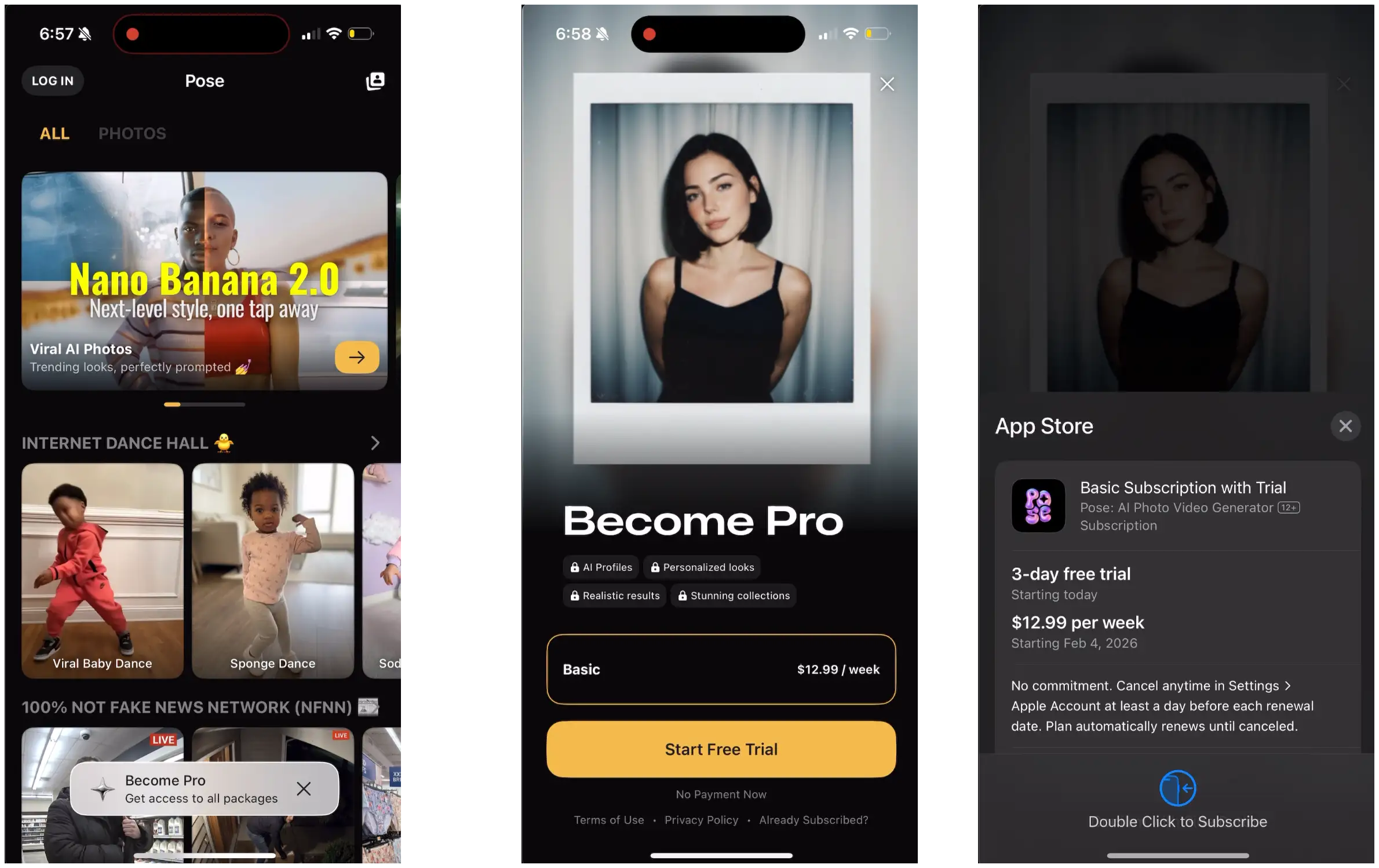
Now into the home screen. Pretty standard view of a bunch of image and video options.
Floating bar to “Become Pro”
If you notice, this is a different paywall image.
I didn’t convert on the first paywall, so you shouldn’t show it to me again.
One interesting note: This paywall CTA just says “Start Free Trial” and doesn’t say anything about the trial length.
You can see it’s 3-days, and the onboarding paywall says this on the CTA, so maybe that’s why they got away with it here.
What did we learn?
Make an AI video app about a year ago, and now you’re crushing it, right?
Well, we all know it’s not quite that easy.
So what can we actually take away:
For most AI apps, you don’t need some long onboarding flow. Get people to value.
Super simple personalization in the onboarding flow with 1-2 questions can work well
Weekly plans are the default for AI apps as most people want to try them out
Don’t default to long trials because people will use it for a few days and then never pay
Weekly plans don’t feel intimidating, so I bet a lot of the revenue from these apps is people forgetting to cancel, or using it for a couple weeks and then canceling
None of these apps push “credits” too hard.
One paywall lists a credit limit, but they’re not too worried.
Use a “trial enabled” animation to clue people in to the free trial and get them comfortable
Try a “design your trial” or “Design your subscription” paywall
Want a lot of reviews? Ask everyone to rate your app before the paywall
Know someone who’d like this post?
Want to see the full UI/UX for these apps? Get the Whimsical here:


I think the one of the best take away is to not offer an extended free trial. I'm not sure of these ai apps's daily retention but if it's low, an extended free trial isn't going to make it for them. A shorter trial should be enough to show the value. Or maybe some credits that refill every week or month and then a direct purchase (though this may not formulate a habit)