


Hey there, it’s Jacob at Retention.Blog 👋
I got tired of reading high-level strategy articles, so I started writing actionable advice I would want to read.
Every week I share practical learnings you can apply to your business.
Retention.Blog is sponsored by Botsi
Is a plant identifier app one of the most successful apps ever?
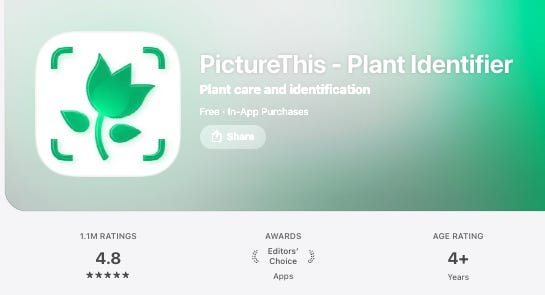
PictureThis is a plant identifier app that has made $17m the past two months, and nearly half a billion dollars over its lifetime.
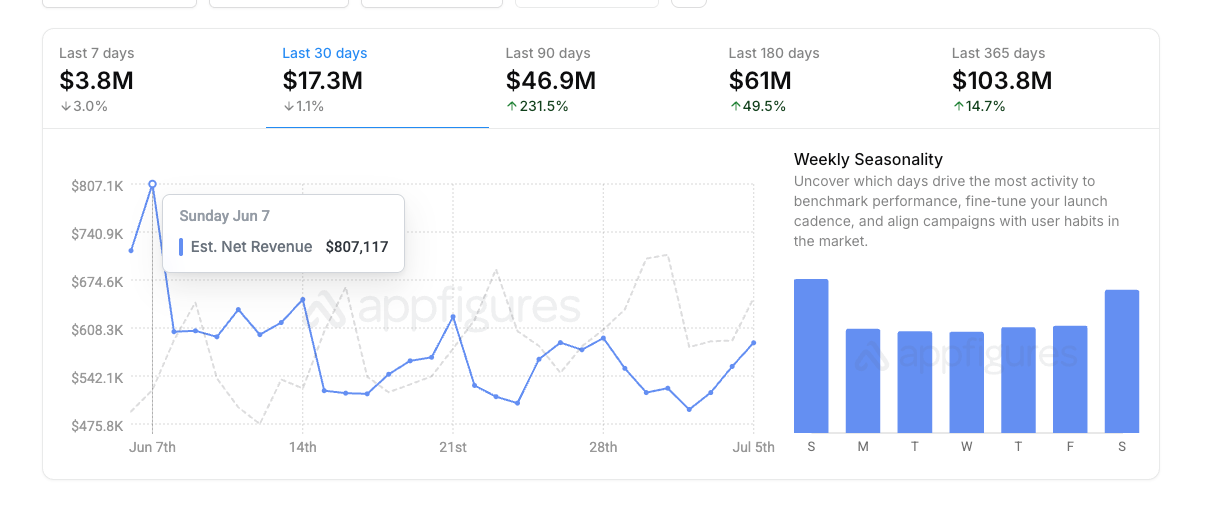
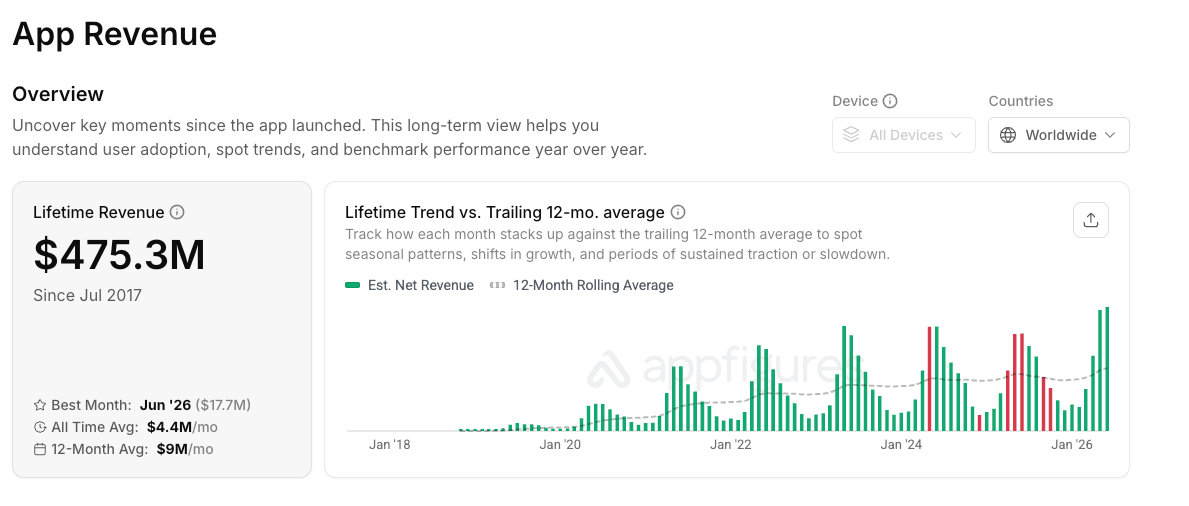
Courtesy of Appfigures
We must be able to learn something from an app doing $17m a month, right?!
Lesson 1: People want results FAST
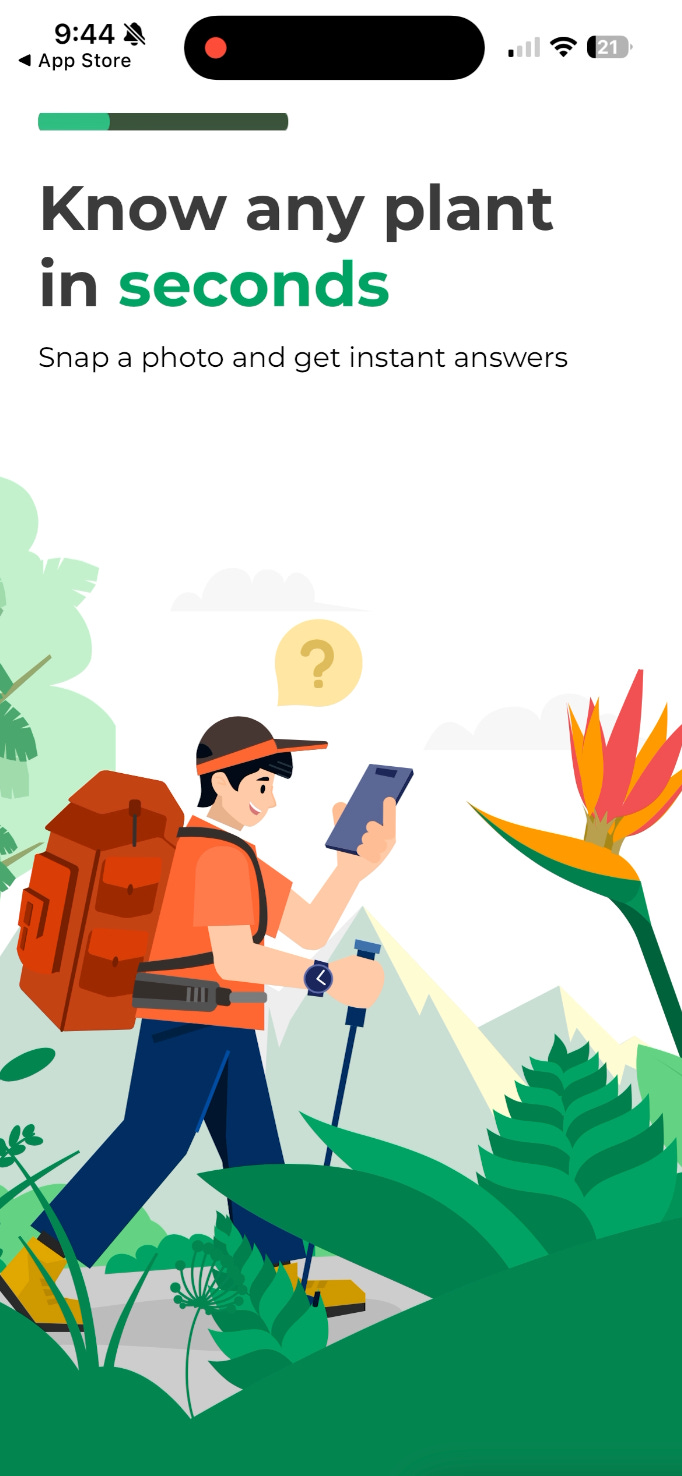
In one of their early onboarding screens they talk about the core value and a quantifiable amount of time it’ll take to get results.
Think about it, most people are probably looking a plant and want to try to find an answer immediately to their question of, “What’s the plant?”
Understand where and when users are coming to your app.
Lesson 2: Sell the benefit
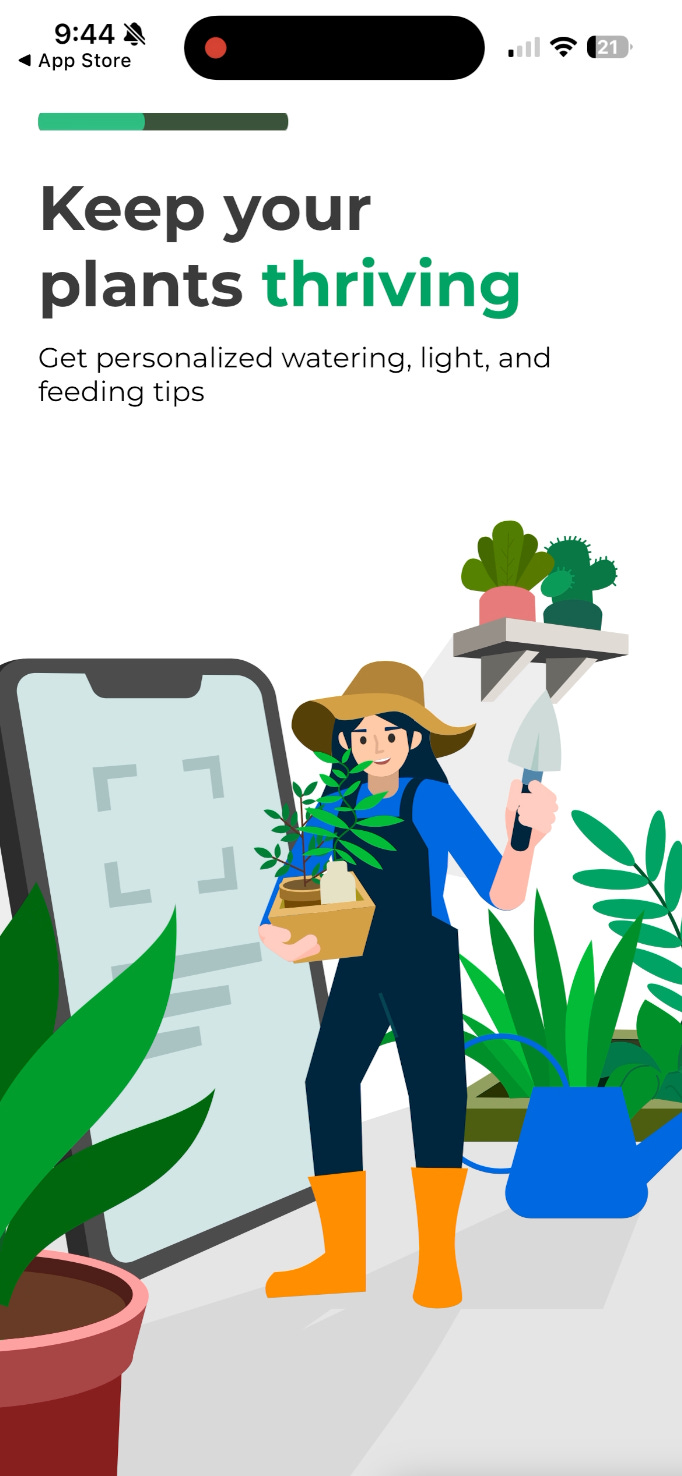
The headline is, “Keep your plants thriving”
This is the benefit and is rightly the headline. “Personalized watering, light, and feeding tips” is kind of the feature. Benefits, not features in your marketing,
🤩 Lessons From Reviewing 100+ Web Funnels
Andrey Shakhtin, founder and CEO of FunnelFox, explains why web subscriptions convert and monetize better than the app store, how to stand up a minimum viable web-to-app test, and the payment risks that can freeze your revenue once you scale.
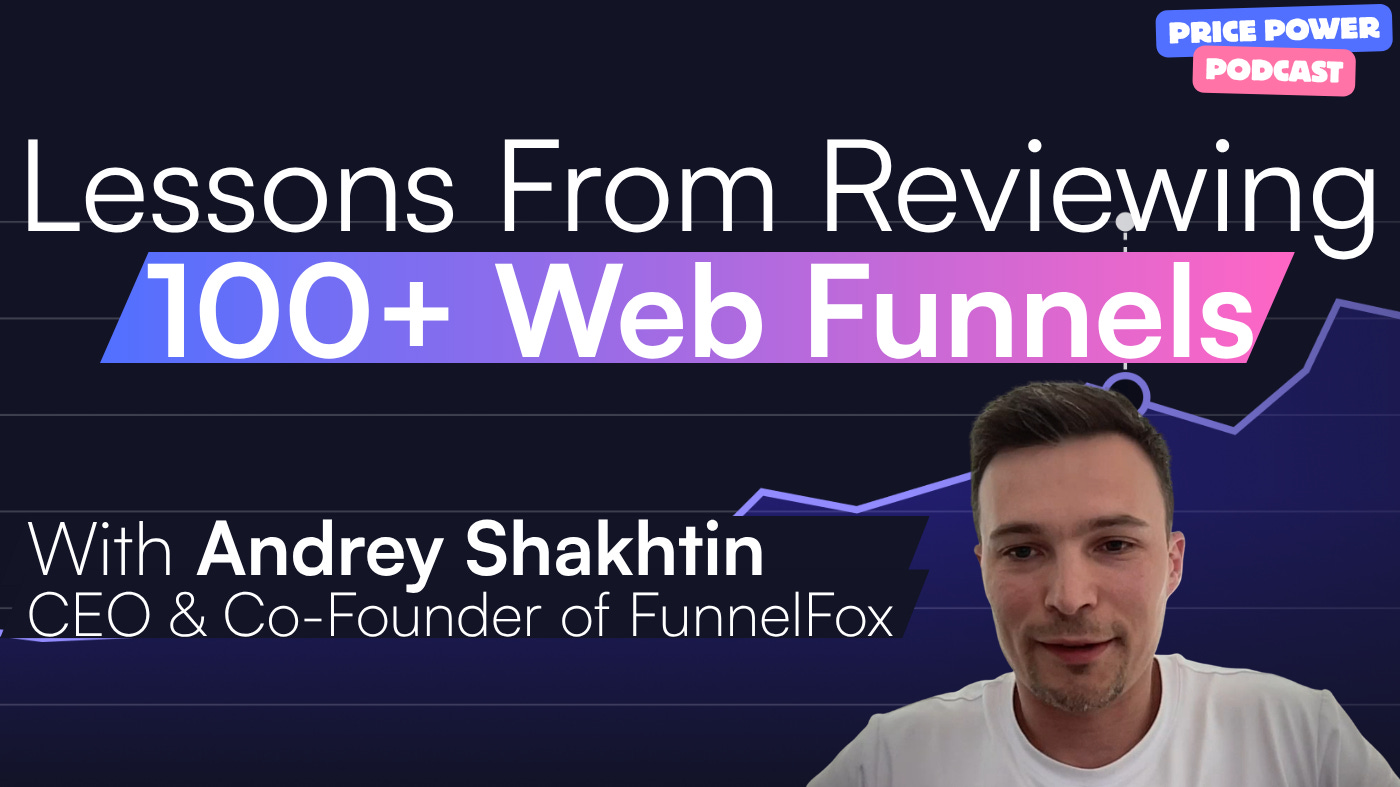
Listen or watch on Youtube, Spotify, and Apple Podcasts:
Lesson 3: Reassure people you can solve their problems
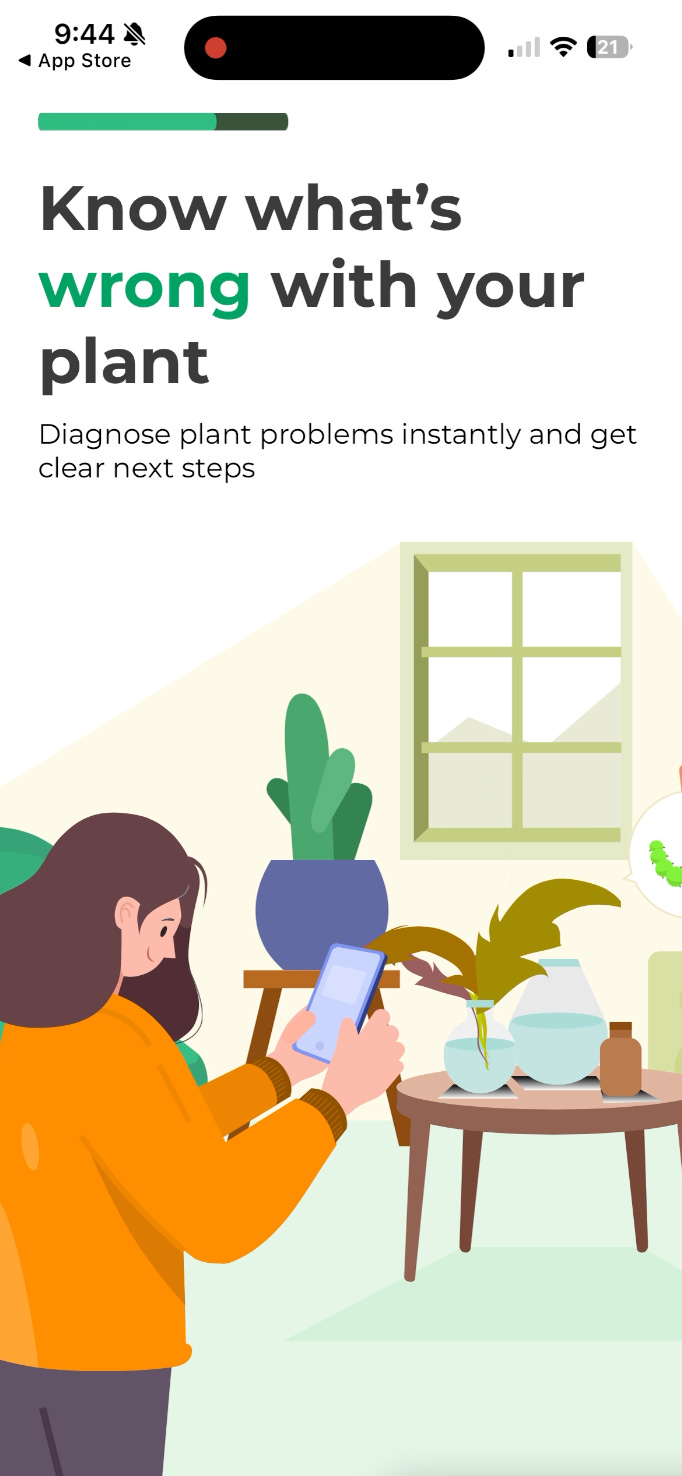
I’ve got a problem and I’m looking for a solution if I’m downloading your app.
Make me confident you can solve it!
Lesson 4: Add Social Proof

You say you can solve my problems, but how can I be sure? Social proof is one of the best ways to add trust to your product
Lesson 5: Give data on why you’re better, or why your app will work
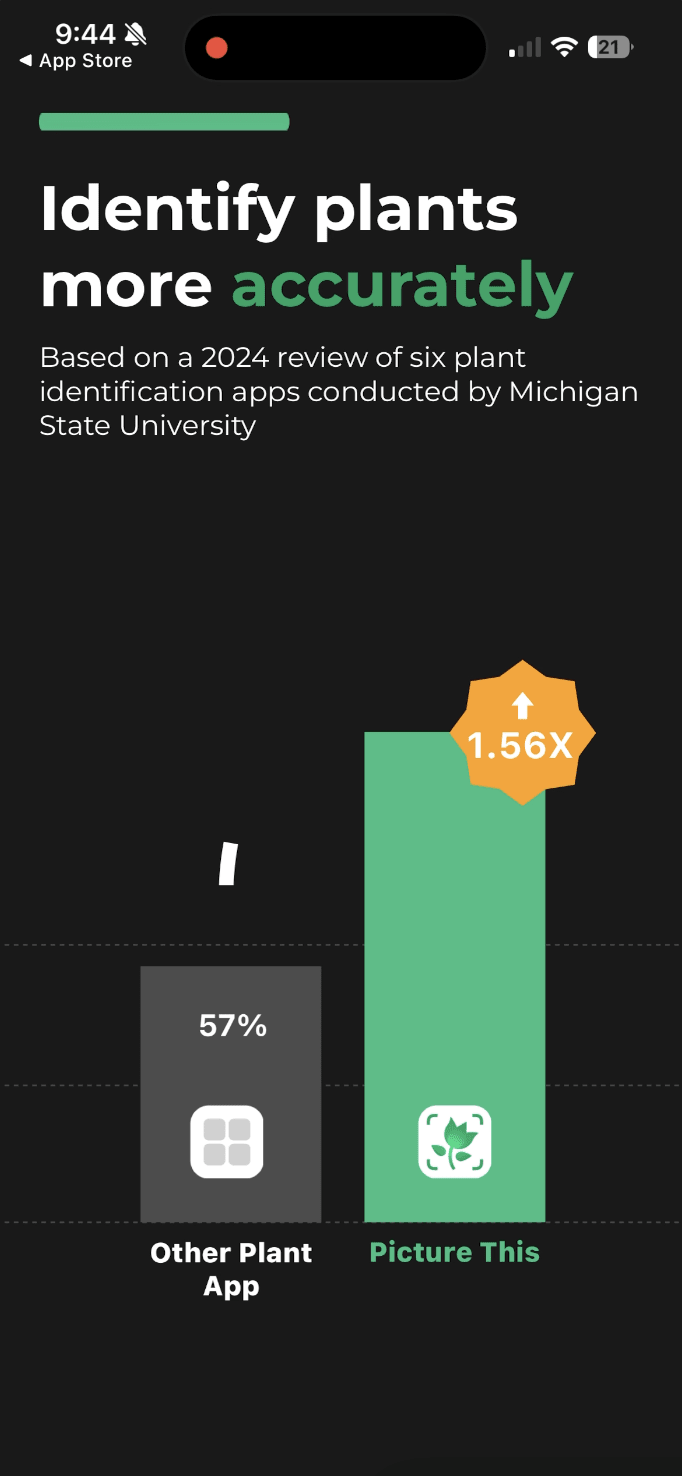
To convince someone, start with emotions first, and then back it up with data and logic.
After you’ve got someone excited that you can solve their problem, and you’ve built some trust, bring in the numbers! At this point, the person wants to believe and they’re open to listening.
We make emotional decisions as humans, and then we find ways to rationalize our emotional decisions.
Lesson 6: More social proof…
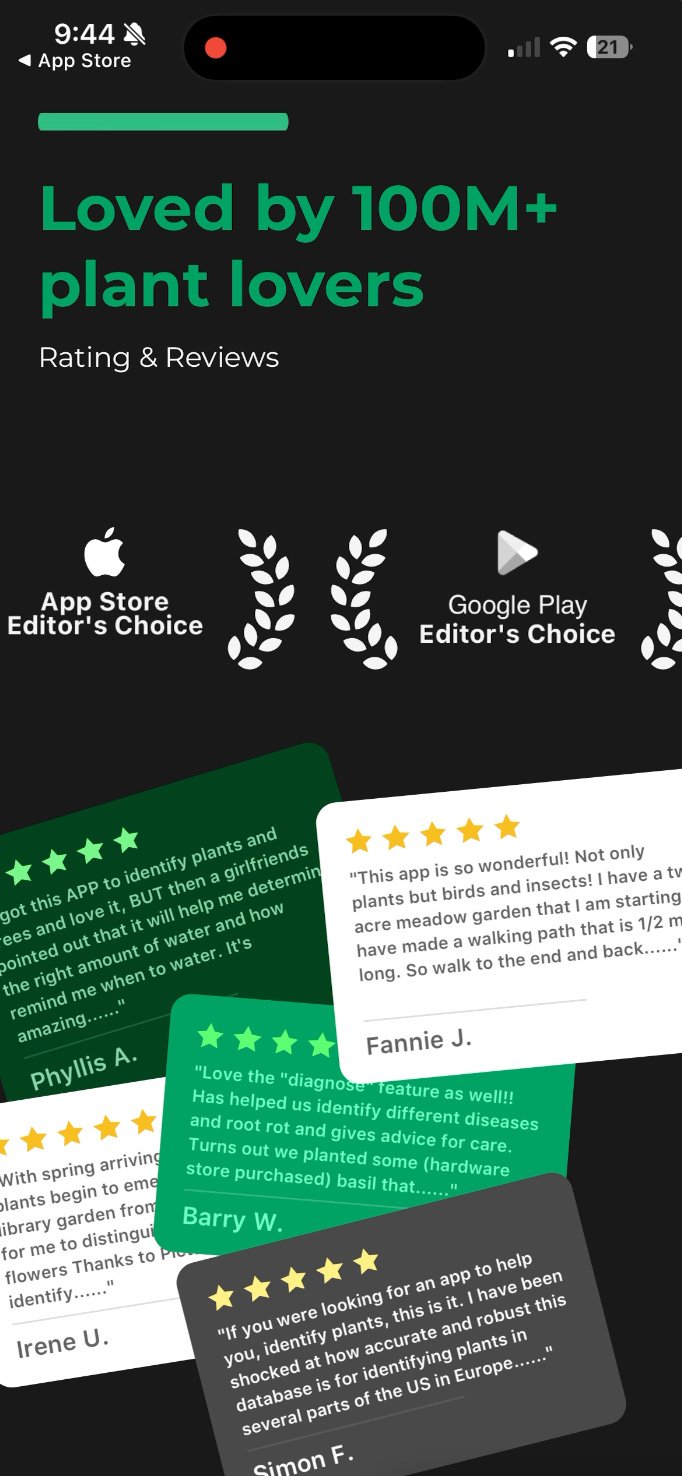
You thought you were done with the social proof?! Think again!
Seriously though, more reassurance and trust building from other people is usually powerful.
We’re social creatures, so we’ll follow what other people are already doing.
Lesson 7: Test new pricing and packaging
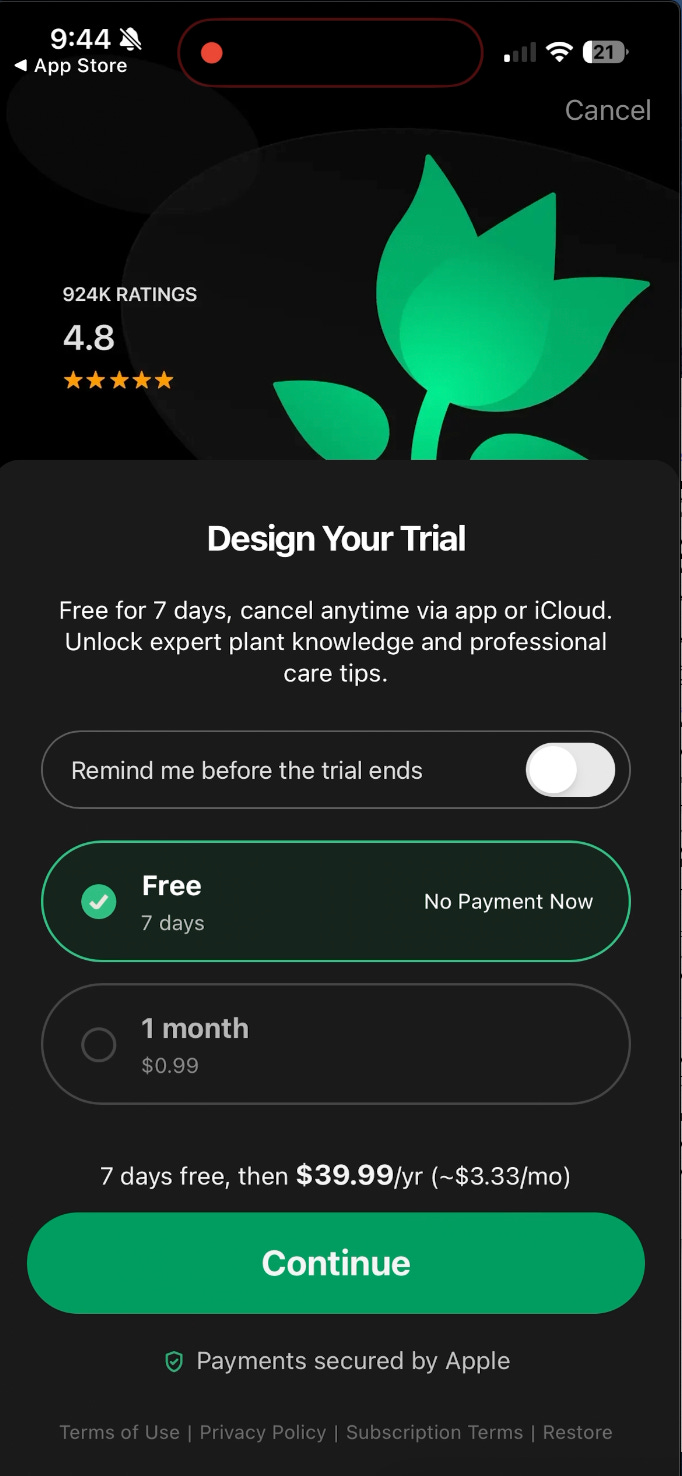
PictureThis is using this new “Design your trial” paywall style where you’re able to show annual plans with multiple options and give people the feeling of choice.
Lesson 8: Make sure people experience the “Aha!” moment
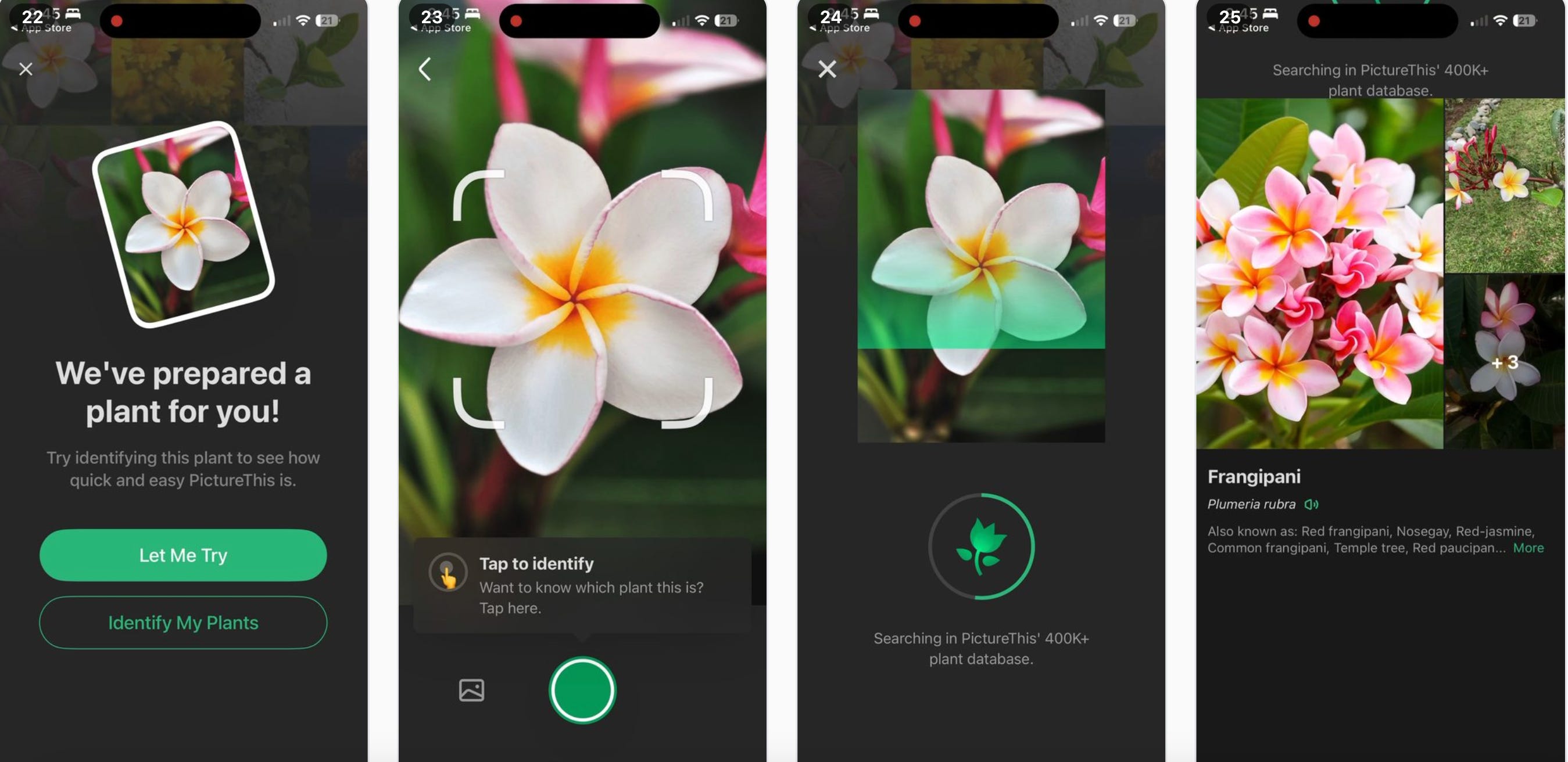
PictureThis does something really cool here.
They simulate the core value moment of the app immediately after the paywall.
Instead of you need to have your plant ready to scan, they show you exact process, and make you tap through it, so you can understand exactly how it all works.
You experience the value with essentially 0 effort.
Honestly, I’m a bit surprised they don’t do this before the paywall, but I bet they’ve tested it.
Lesson 9: Ask people to pay multiple times
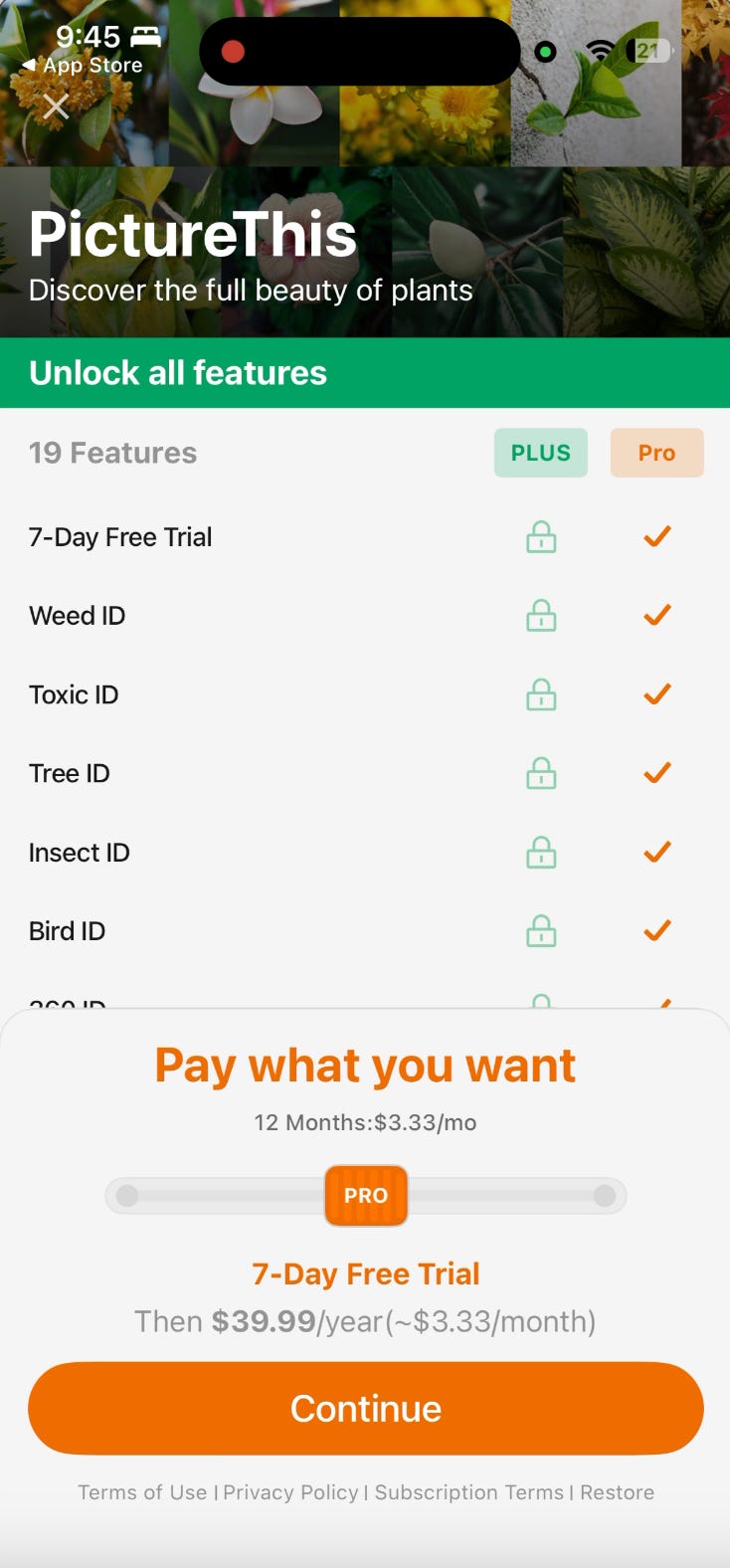
If you don’t convert on the first paywall, they have quite a few other paywall prompts, and premium features that trigger a new paywall.
Check out the “Pay what you want” slider here. It’s not actually a sliding scale on price, it just goes to different plans:
7 day trial thats more expensive
30 day trial that costs $1
Discounted annual plan with direct purchase
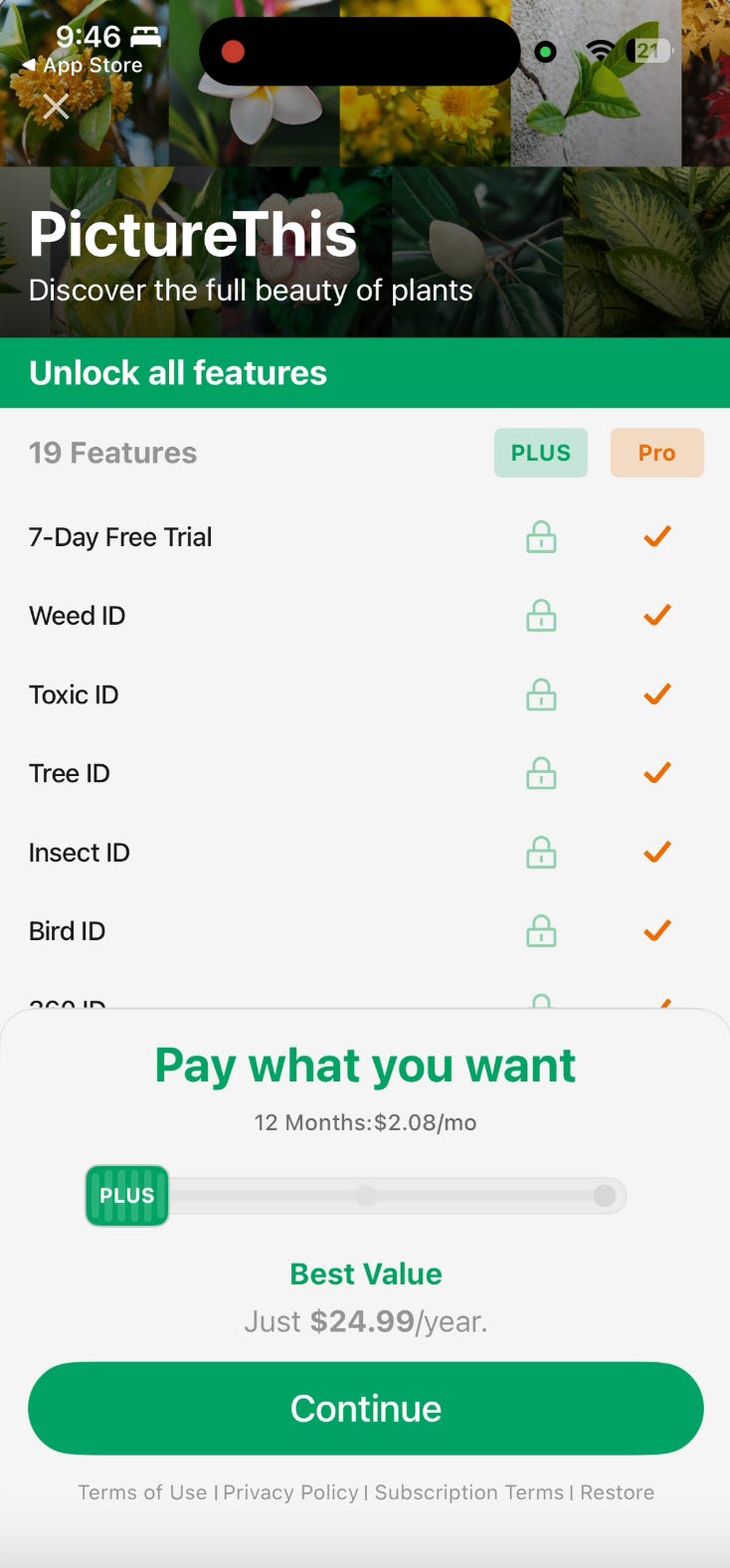
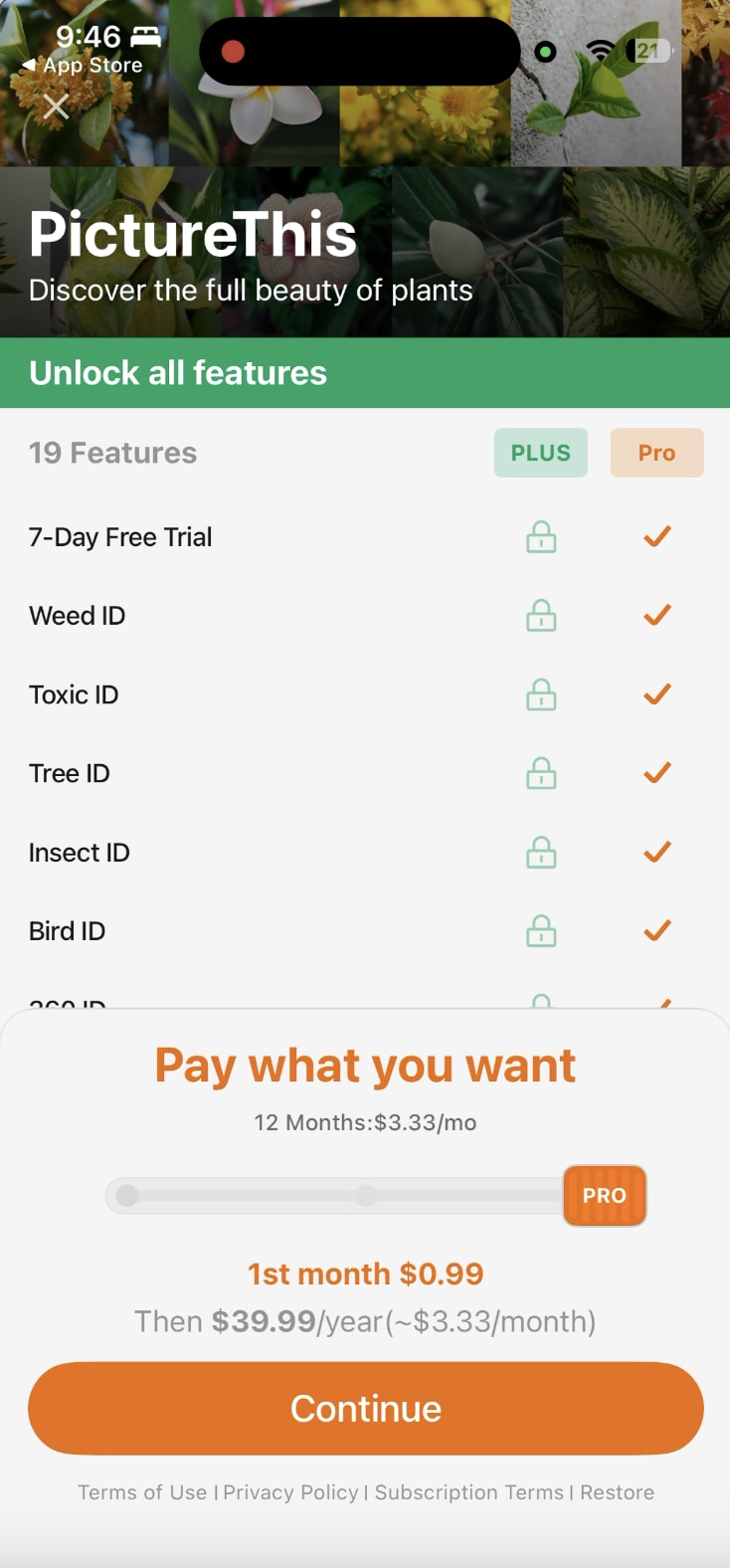
If it works for one of the largest apps in the world, it may work for you…
Lesson 10: Keep on adding more value for your users
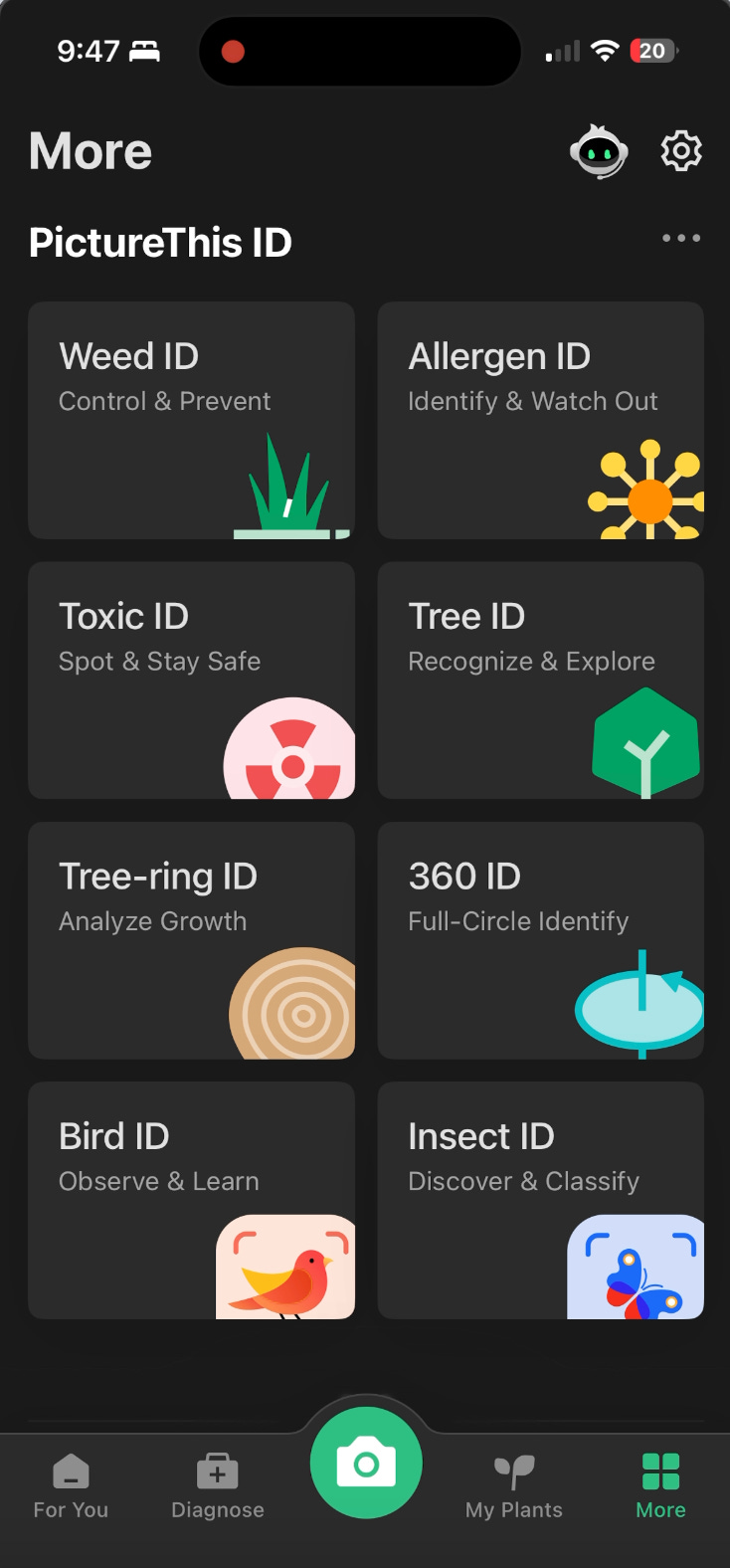
You may think PictureThis is just a plant identifier, but they’ve added tons and tons of new features and value. This is the core part of any great subscription business.
What was your favorite lesson? Let me know in the comments.
📣 Want to help support and spread the word?
Go to my LinkedIn here and like, comment, or share my posts.
OR

Absolutely crazy numbers for such an app.
A effortless 2 choice 'choose your trial' screen that simulates the feeling of decision is ingenious